📌 Key Highlights
- Learn What is the Document Object Model (DOM)? in simple language.
- Understand how the DOM works with HTML and JavaScript.
- Discover why the Document Object Model (DOM) is important for web development.
- Explore real-life examples to make the concept easy to understand.
- Learn how JavaScript uses the DOM to create interactive websites.
- Perfect for beginners learning HTML, CSS, and JavaScript.
What is the Document Object Model (DOM)?
What is the Document Object Model (DOM)? This was one of those questions that completely confused me when I started learning JavaScript. I understood HTML. I knew how to create headings, paragraphs, buttons, and images. But then every tutorial suddenly started talking about the Document Object Model (DOM).
I remember thinking, “What exactly is this DOM everyone keeps mentioning?”
If you’ve had the same question, don’t worry. I did too.
The good news? Once I understood the Document Object Model (DOM) using a simple real-life example, everything finally made sense.
In this guide, I’ll explain What is the Document Object Model (DOM)? in the easiest way possible—without complicated technical words.
By the end of this article, you’ll understand:
- ✅ What the Document Object Model (DOM) is
- ✅ Why JavaScript needs the DOM
- ✅ How browsers create the DOM
- ✅ How JavaScript changes web pages using the DOM
- ✅ Real-life examples that make learning fun
Let’s jump:
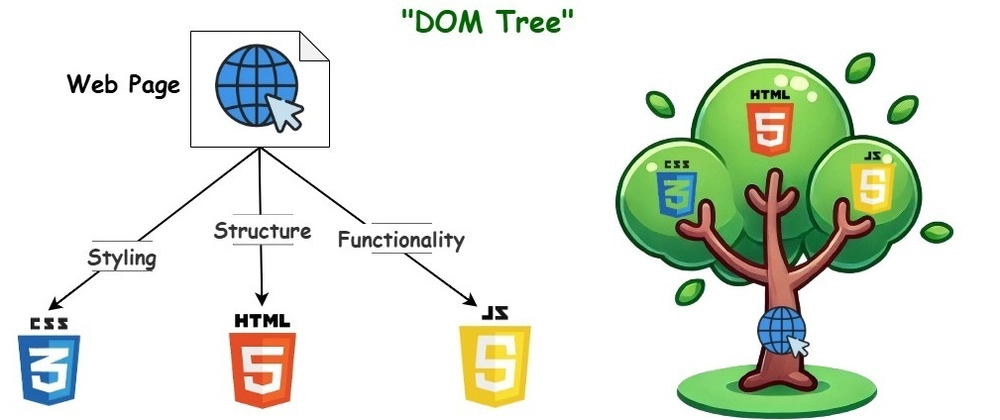
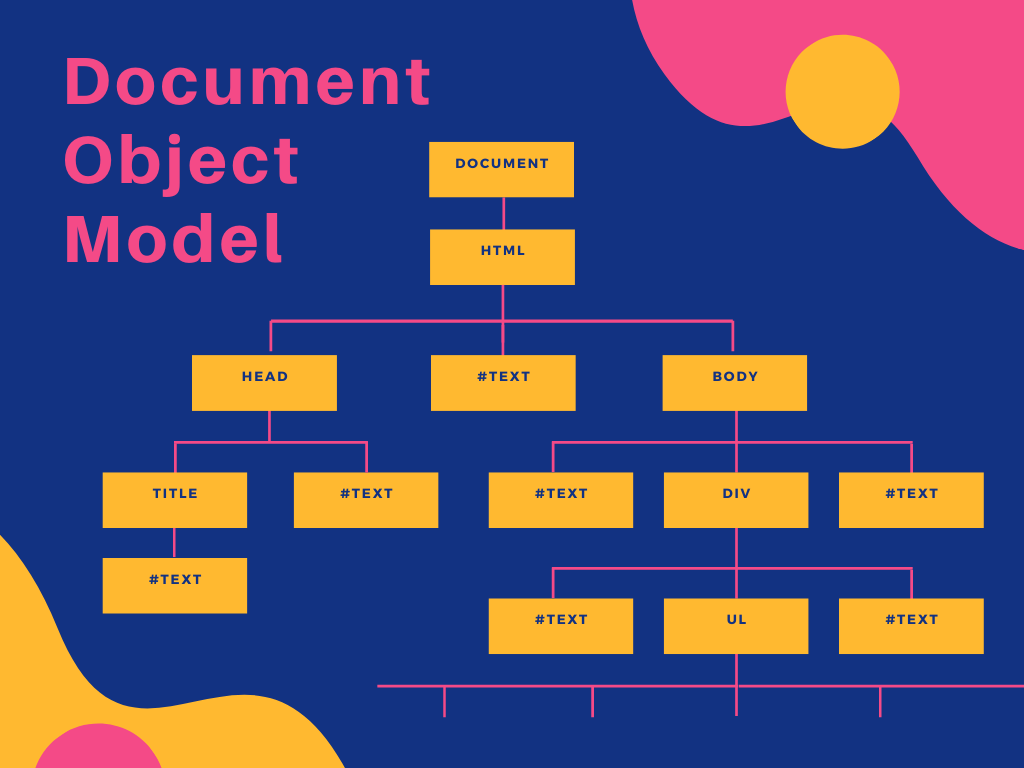
The Document Object Model (DOM) is a tree-like representation of an HTML document that the browser creates after loading a web page.
In simple words…
The browser reads your HTML file and converts every element into an object.
These objects become part of a structure called the DOM Tree.
JavaScript can then use this tree to:
- Change text
- Change colors
- Add new elements
- Remove elements
- Respond to button clicks
- Create interactive websites
Without the Document Object Model (DOM), JavaScript would have no way to interact with your webpage.
Why is the Document Object Model (DOM) Important? 🌟
When I first created an HTML page, it looked nice—but it couldn’t do much.
Clicking a button didn’t change anything.
Typing into a form didn’t produce any results.
The page was static.
Everything changed once I learned about the Document Object Model (DOM).
The DOM allows JavaScript to make websites interactive.
For example:
- Click a button → Change text.
- Click Dark Mode → Change background color.
- Submit a form → Validate user input.
- Click “Read More” → Show hidden content.
Almost every modern website relies on the Document Object Model (DOM).
How Does the Document Object Model (DOM) Work?
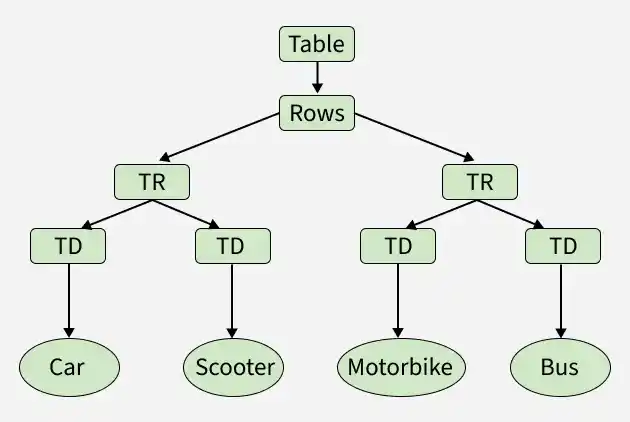
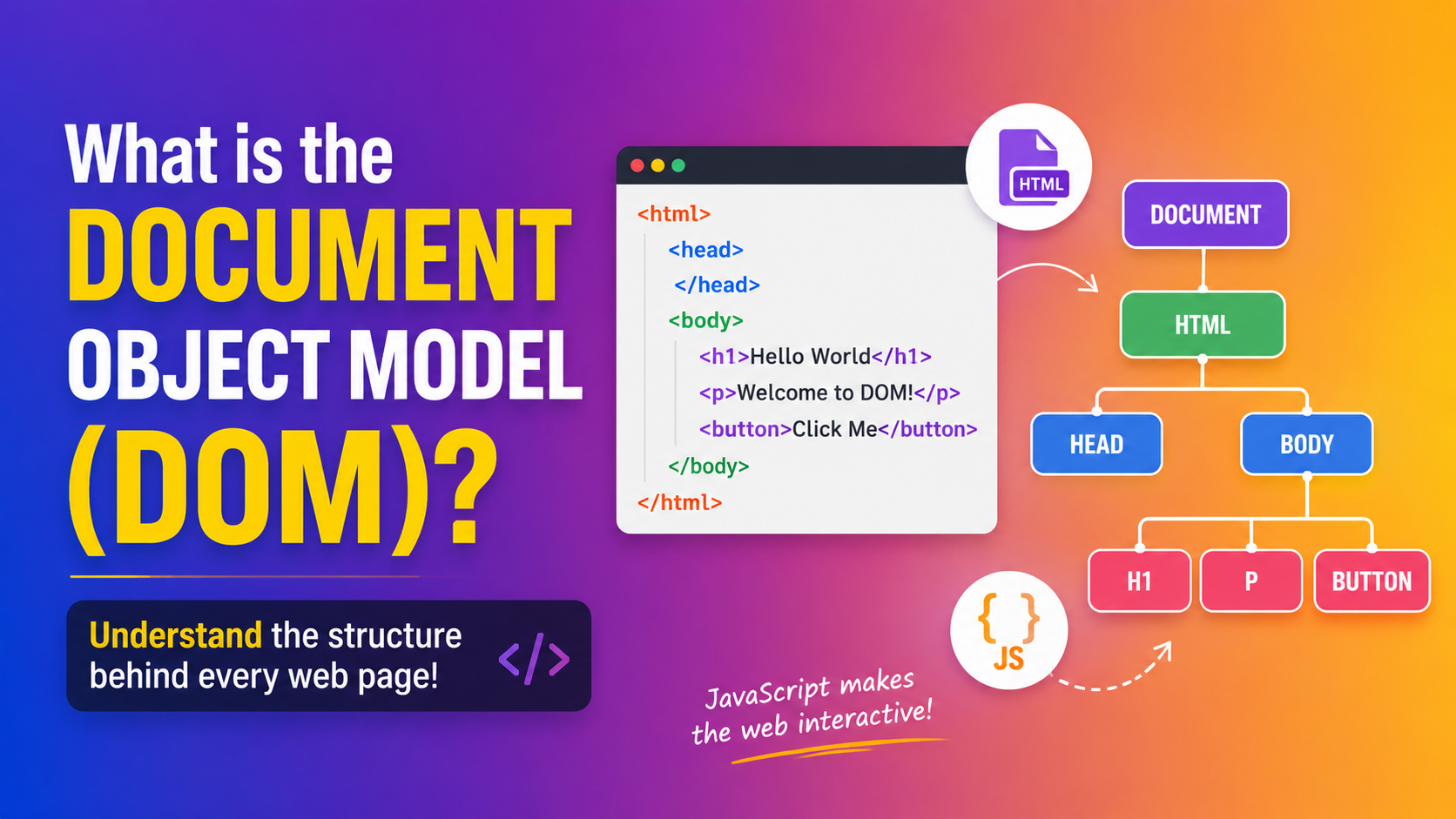
Let’s imagine a simple HTML page.
<html>
    <body>
        <h1>Hello</h1>
        <p>Welcome!</p>
    </body>
</html>
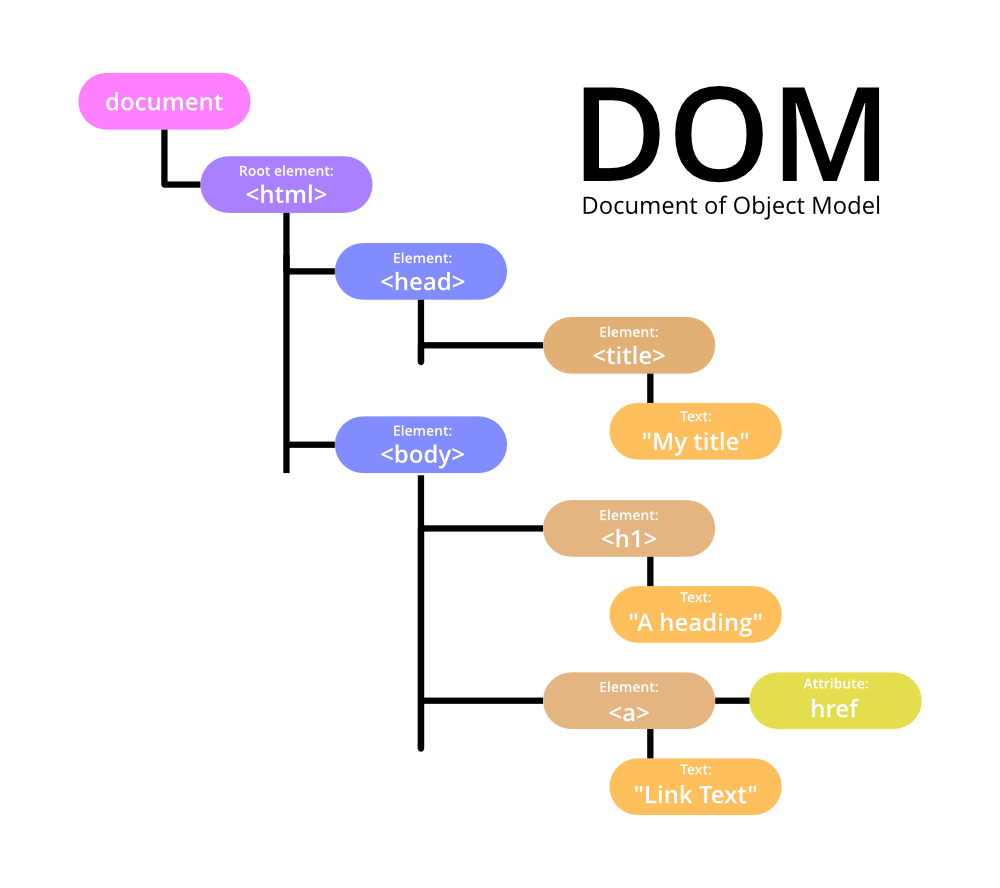
When the browser reads this HTML, it creates a tree.
Document
   |
  HTML
   |
  BODY
  /   \
H1     P
This structure is called the DOM Tree.
Every HTML element becomes an object that JavaScript can access and modify.
That’s the magic behind the Document Object Model (DOM).
Real-Life Example of the Document Object Model (DOM) 🏠
When I explain the DOM to my friends, I use the example of a family tree.
Imagine your family.
At the top is your grandparent.
Below them are your parents.
Below your parents are you and your siblings.
Everything is connected.
The Document Object Model (DOM) works the same way.
Each HTML element has a parent, child, or sibling relationship.
For example:
HTML
│
├── Head
│
└── Body
     ├── H1
     ├── P
     └── Button
Once I saw the DOM this way, it became much easier to understand.
How JavaScript Uses the Document Object Model (DOM)
JavaScript interacts with the Document Object Model (DOM) to change a webpage after it has loaded.
Here’s a simple example.
HTML:
<h1 id="title">Hello World</h1>JavaScript:
document.getElementById("title").innerHTML = "Welcome!";Before clicking:
Hello WorldAfter JavaScript runs:
Welcome!The browser updates the webpage instantly—without refreshing it.
That’s the power of the Document Object Model (DOM).
What Can You Do with the Document Object Model (DOM)?
Once you understand the Document Object Model (DOM), you can build much more interactive websites.
You can:
- 🎯 Change text
- 🎨 Change colors
- 📷 Replace images
- ➕ Add new HTML elements
- ❌ Remove elements
- 🖱️ Respond to button clicks
- 📝 Validate forms
- 🔄 Update content without reloading the page
These features are what make modern websites dynamic and user-friendly.
Common DOM Methods Every Beginner Should Know
Here are a few DOM methods you’ll use often:
1. getElementById()
Finds an element by its ID.
document.getElementById("demo")2. getElementsByClassName()
Finds elements with the same class.
document.getElementsByClassName("box")3. querySelector()
Selects the first matching element using a CSS selector.
document.querySelector(".btn")4. querySelectorAll()
Selects all matching elements.
document.querySelectorAll("p")These methods are the building blocks for working with the Document Object Model (DOM).
Real-Life Example: Online Shopping Website 🛒
Think about an online shopping website.
When you click “Add to Cart”, what happens?
- The cart count increases.
- The total price updates.
- The product appears in your cart.
The page doesn’t reload.
JavaScript simply updates the Document Object Model (DOM).
Without the DOM, websites would feel much less interactive.
Benefits of the Document Object Model (DOM)
The Document Object Model (DOM) offers many advantages:
- ✅ Makes web pages interactive
- ✅ Works seamlessly with JavaScript
- ✅ Allows dynamic content updates
- ✅ Improves user experience
- ✅ Simplifies event handling
- ✅ Supports animations and effects
- ✅ Enables responsive web applications
Whether you’re building a personal blog or a large web application, the DOM plays a key role.
Common Mistakes Beginners Make
When I first started learning the Document Object Model (DOM), I made a few mistakes that slowed me down.
Here are some to avoid:
- Thinking the DOM is part of HTML. (It’s actually created by the browser from your HTML.)
- Trying to access elements before the page has finished loading.
- Forgetting to use the correct ID or class name.
- Assuming every DOM method returns a single element.
Making mistakes is part of learning. Don’t get discouraged—they’re opportunities to improve.
When Should You Learn the DOM?
If you’ve already learned:
- HTML
- Basic CSS
- Basic JavaScript
then now is the perfect time to dive into the Document Object Model (DOM).
Once you’re comfortable with it, topics like event handling, animations, form validation, and AJAX will become much easier.
Final Thoughts 💡
When I first heard the term Document Object Model (DOM), I assumed it was something extremely technical. In reality, it’s simply the browser’s way of organizing an HTML page so JavaScript can interact with it.
To summarize:
- 🌳 The Document Object Model (DOM) is a tree structure of your HTML page.
- 💻 The browser creates it automatically.
- ⚡ JavaScript uses it to update content, styles, and elements.
- 🎯 It’s one of the most important concepts in front-end web development.
If you’re learning web development, take your time with the DOM. Practice selecting elements, changing text, and handling button clicks. The more you experiment, the more natural it will feel.
Happy coding! 🚀
Want to Learn About HTML?, Kaashiv Infotech Offeres Front End Development Course, Full Stack Development Course, and more Visit www.kaashivinfotech.com.