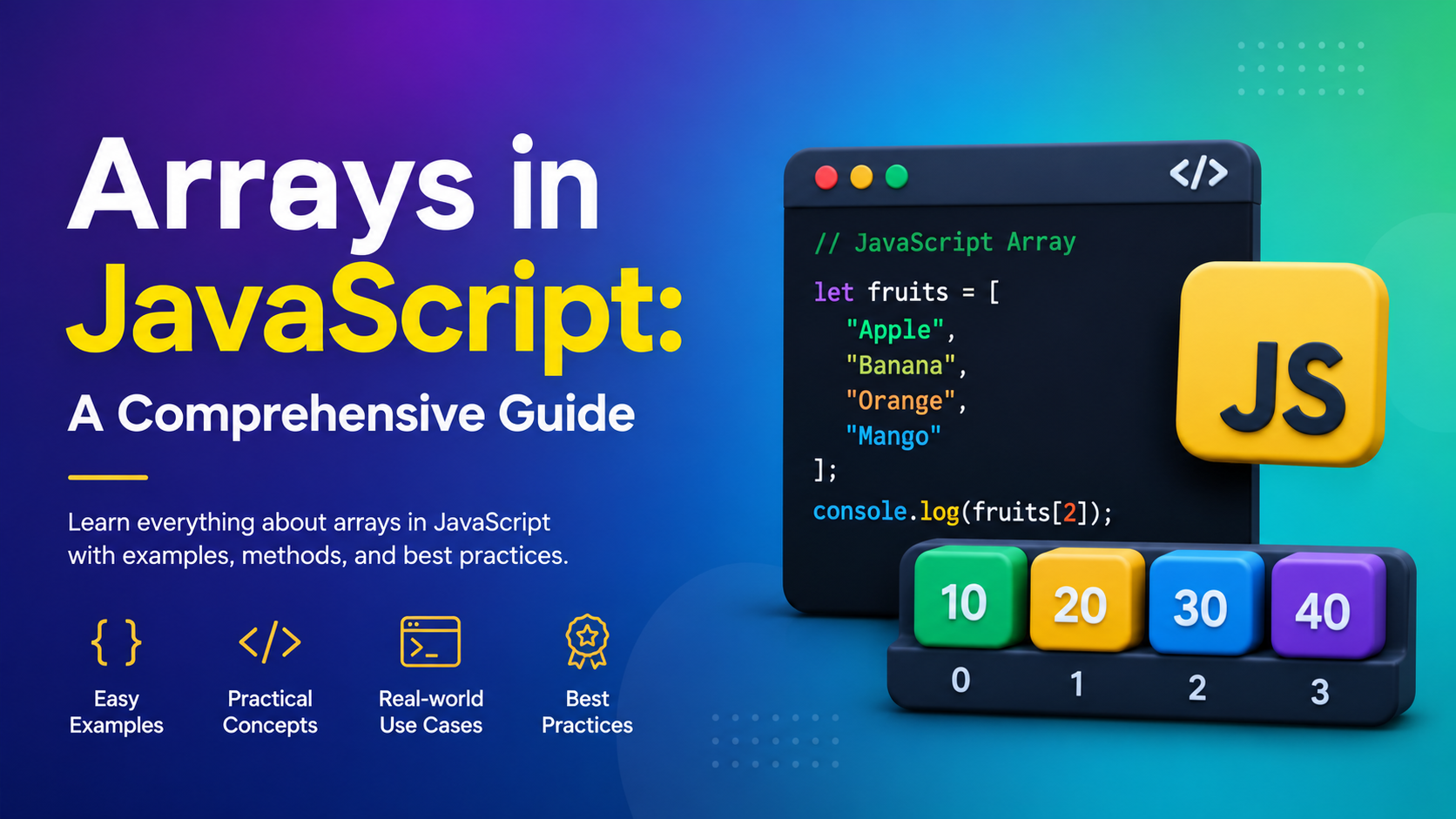
Arrays in JavaScript: A Comprehensive Guide
Arrays in JavaScript are one of the first concepts I learned while exploring JavaScript, and honestly, they changed the way I thought about storing data. Before I understood arrays, I used separate variables for everything. It worked… until my code became messy.
If you’ve ever wondered what Arrays in JavaScript are, how they work, and when to use them, you’re in the right place. In this guide, I’ll explain everything in simple words with real-life examples, practical code snippets, and tips that helped me understand arrays much faster.
By the end of this guide, you’ll know how to create, access, modify, and use Arrays in JavaScript confidently in your own projects.

✨ Key Highlights
- 📌 Understand what Arrays in JavaScript are.
- 📌 Learn how to create JavaScript arrays.
- 📌 Access and modify array elements.
- 📌 Explore the most useful Array Methods in JavaScript.
- 📌 Work with loops and arrays.
- 📌 See practical JavaScript Array Examples.
- 📌 Discover common mistakes beginners make.
- 📌 Learn best practices for writing cleaner code.
Table of Contents
- What are Arrays in JavaScript?
- Why Do We Need Arrays?
- Creating Arrays
- Accessing Array Elements
- Updating Array Values
- Array Properties
- Common Array Methods in JavaScript
- Looping Through Arrays
- Multidimensional Arrays
- Real-Life Examples
- Common Mistakes
- Best Practices
- Conclusion
- FAQs
What are Arrays in JavaScript? 🤔
Simply put, Arrays in JavaScript are a way to store multiple values inside a single variable.
Instead of creating lots of variables like this:
let student1 = "Alice";
let student2 = "Bob";
let student3 = "Charlie";
I can simply write:
let students = ["Alice", "Bob", "Charlie"];Much cleaner, right?
I remember doing this in one of my first projects. I had over 20 product names stored in separate variables. Updating them became frustrating. After learning arrays, my code became shorter, easier to read, and much easier to maintain.
Why Do We Need Arrays in JavaScript?
Imagine you’re creating an online shopping website.
A customer adds several products:
- Laptop
- Mouse
- Keyboard
- Headphones
Would you create four different variables?
Probably not.
Instead:
let cart = ["Laptop", "Mouse", "Keyboard", "Headphones"];Now everything stays together in one place.
That’s exactly why JavaScript Arrays are so useful.
Creating JavaScript Arrays
There are two common ways.
Method 1 (Recommended)
let fruits = ["Apple", "Banana", "Orange"];This is the simplest and most common way.
Method 2
let fruits = new Array("Apple", "Banana", "Orange");This also works, but I rarely use it because the first method is shorter and easier to read.
Accessing Array Elements
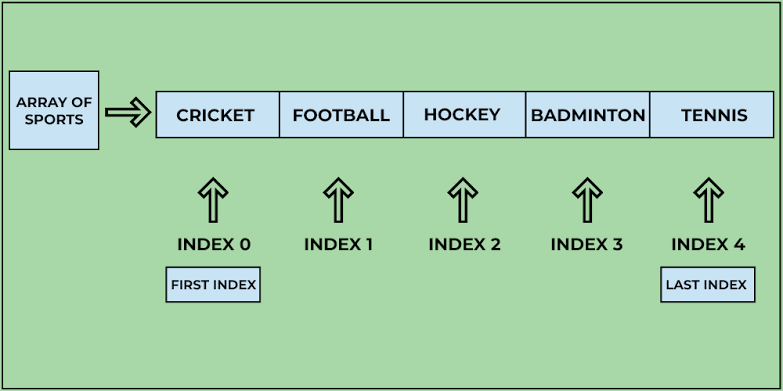
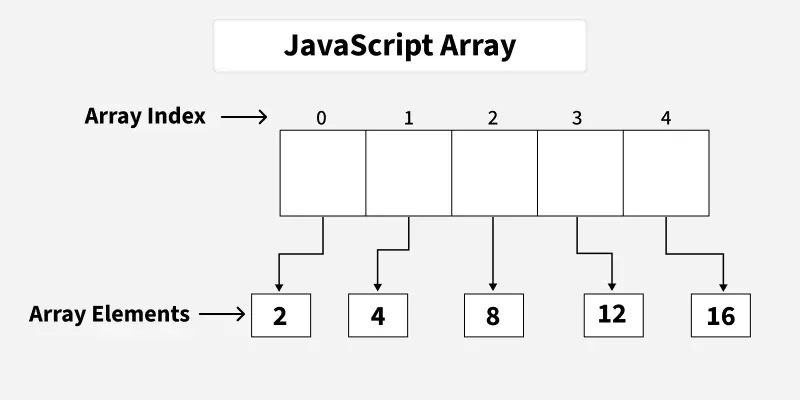
Every item has an index.
JavaScript starts counting from 0, not 1.
let fruits = ["Apple", "Banana", "Orange"];

console.log(fruits[0]);
Output
AppleAnother example:
console.log(fruits[2]);Output
OrangeThis “zero-based indexing” confused me initially. Once I practiced with a few examples, it became second nature.
Updating Array Values
Changing values is simple.
let fruits = ["Apple", "Banana", "Orange"];

fruits[1] = "Mango";

console.log(fruits);
Output
["Apple", "Mango", "Orange"]Arrays are flexible, which makes them perfect for dynamic applications.
Array Properties
The most useful property is length.
let colors = ["Red", "Blue", "Green"];

console.log(colors.length);
Output
3I use .length frequently while looping through arrays.
Most Useful Array Methods in JavaScript 🛠️
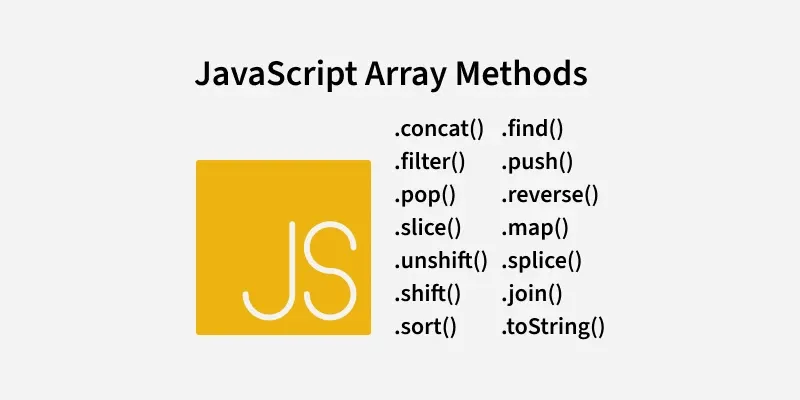
One of the reasons I enjoy working with Arrays in JavaScript is the rich collection of built-in methods.
1. push()
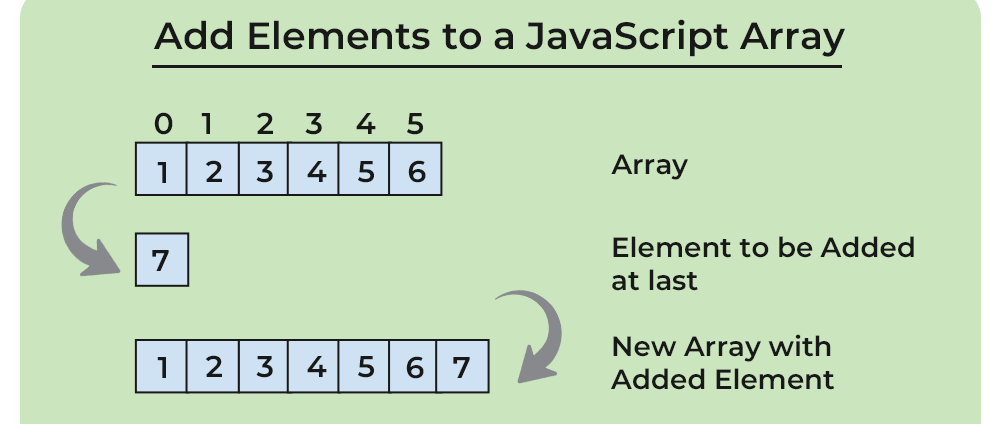
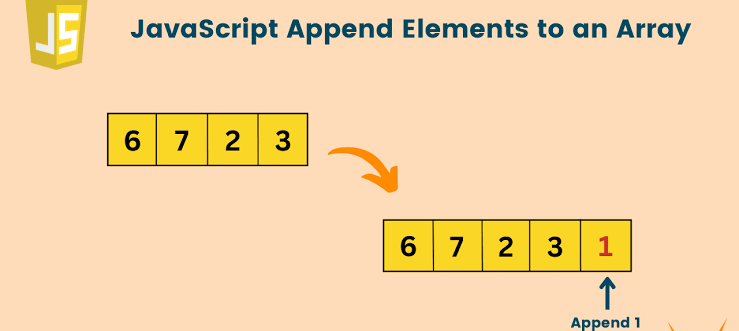
Adds an item at the end.
fruits.push("Mango");Result
["Apple", "Banana", "Orange", "Mango"]2. pop()
Removes the last item.
fruits.pop();3. shift()
Removes the first item.
fruits.shift();4. unshift()
Adds an item at the beginning.
fruits.unshift("Pineapple");5. includes()
Checks whether an item exists.
fruits.includes("Apple");Output
true6. indexOf()
Finds the position of an element.
fruits.indexOf("Banana");7. slice()
Creates a copy of part of an array.
fruits.slice(1,3);8. splice()
Adds or removes elements.
fruits.splice(1,1);I recommend practicing these methods repeatedly because they’re used in almost every JavaScript project.
Looping Through Arrays in JavaScript

Instead of writing repetitive code, loops make life easier.
Using for Loop
let fruits = ["Apple","Banana","Orange"];

for(let i=0;i<fruits.length;i++){
    console.log(fruits[i]);
}
Using for…of
for(let fruit of fruits){
    console.log(fruit);
}
Personally, I prefer for...of when I only need the values because it’s cleaner and easier to read.
Multidimensional Arrays
Arrays can even contain other arrays.
let matrix = [
 [1,2],
 [3,4],
 [5,6]
];
This is useful when working with tables, game boards, seating layouts, and spreadsheet-like data.
Real-Life JavaScript Array Examples 🌍
Here are a few places where I see Arrays in JavaScript being used regularly:
- Shopping carts
- Student records
- Employee lists
- Movie collections
- Music playlists
- Quiz questions
- Product catalogs
- Image galleries
- Social media posts
- Contact lists
Almost every web application uses arrays somewhere behind the scenes.
Common Mistakes Beginners Make ❌
I made several of these mistakes when I started.
Forgetting that indexing starts at 0
Wrong:
fruits[1]thinking it returns the first item.
Accessing an invalid index
fruits[20]returns
undefinedMixing unrelated data
Although JavaScript allows different data types inside an array,
let data = ["Apple",25,true];it’s usually better to keep similar data together whenever possible. It makes your code easier to understand.
Best Practices for Working with Arrays in JavaScript ✅
Here are a few habits that have helped me write cleaner code:
- Use meaningful variable names.
- Keep similar types of data together.
- Prefer array literals (
[]) over thenew Array()constructor. - Learn common array methods thoroughly.
- Use loops instead of repetitive code.
- Avoid hardcoding index values when possible.
- Write small programs to practice array operations every day.
Even spending 15 minutes practicing arrays daily can make a noticeable difference.
Conclusion 🎯
Learning Arrays in JavaScript was a major turning point in my programming journey. At first, the idea of storing multiple values in a single variable felt unfamiliar. But after building a few simple projects, I realized how powerful arrays really are.
Whether you’re creating a to-do app, an e-commerce website, a student management system, or even a game, you’ll find yourself using JavaScript Arrays constantly.
My advice? Don’t just read about arrays—experiment with them. Try adding, removing, updating, and looping through data. The more you practice, the more natural it becomes. Before long, working with arrays will feel effortless, and you’ll be ready to explore even more advanced JavaScript concepts.
Frequently Asked Questions (FAQs)
What are Arrays in JavaScript?
Arrays in JavaScript are ordered collections used to store multiple values in a single variable.
Why are arrays important?
They help organize related data efficiently and reduce repetitive code.
Can arrays store different data types?
Yes. JavaScript arrays can contain strings, numbers, booleans, objects, functions, and even other arrays.
Which array method should I learn first?
Start with push(), pop(), shift(), unshift(), includes(), and slice() because they’re commonly used in real-world applications.
What is the index of the first element?
The first element always has an index of 0.
Want to learn more about javascript??, kaashiv Infotech Offers Front End Development Course, Full Stack Development Course, & More www.kaashivinfotech.com.
Related Reads:
- Java vs JavaScript: 3 Key Differences Every Developer Must Know
- What Is the Difference Between “let” and “var” in JavaScript?
- How to Create A Color Picker Tool Using HTML, CSS, and JavaScript