
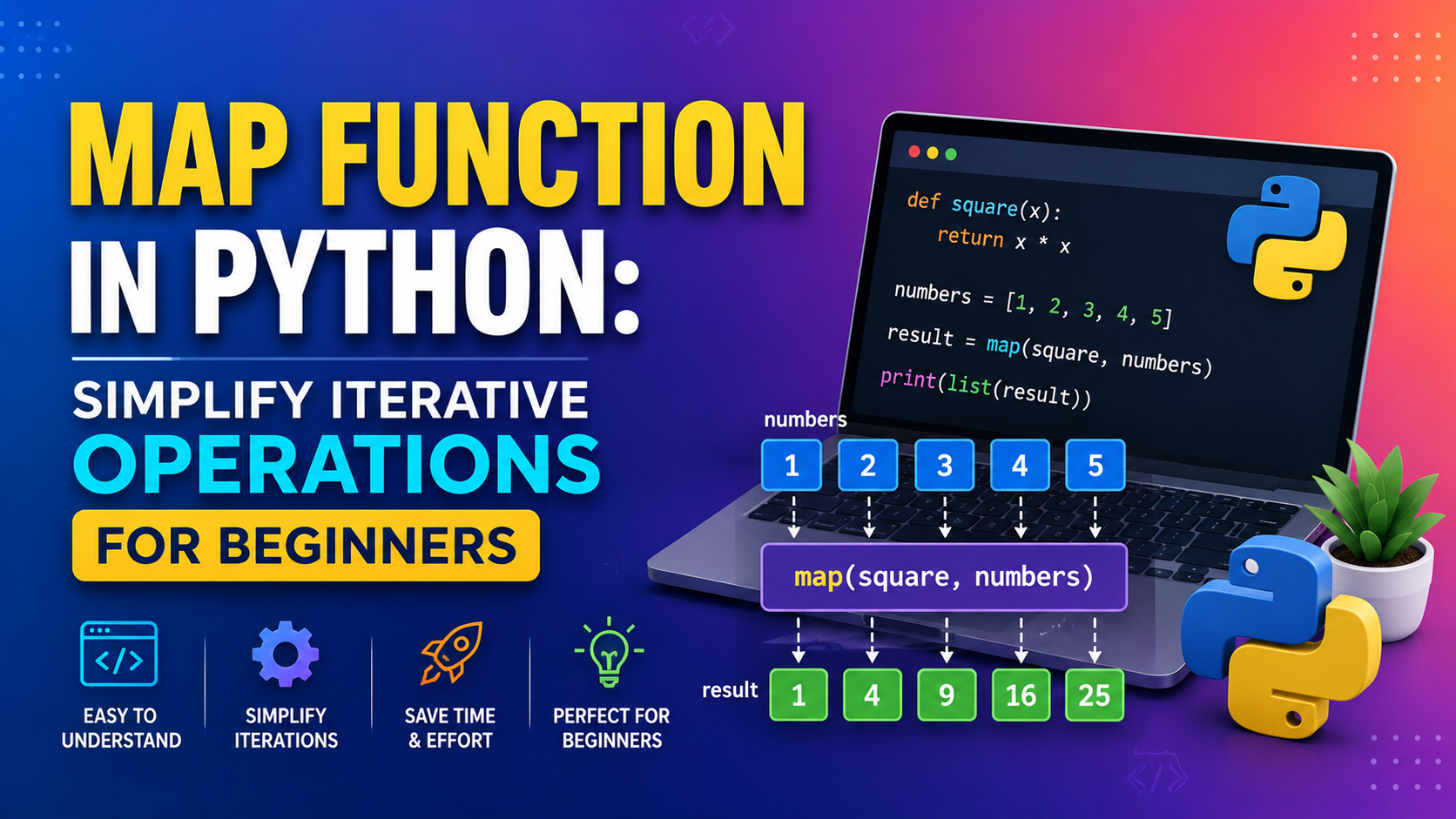
Python is loved for its clean and readable style. One reason beginners enjoy it so much is that Python gives you simple tools to handle repetitive tasks without writing too much code. One of those tools is the map function in Python.
Map Function in Python: Simplify Iterative Operations
If you have ever needed to apply the same change to every item in a list, tuple, string, or other iterable, can save time and make your code look neat. Instead of writing a long loop, you can use one line to transform every item.
In this guide, we will break down the Map Function in Python: Simplify Iterative Operations in a simple, beginner-friendly way. By the end, you will know what it does, how it works, when to use it, and how to avoid common mistakes.
What Is the map() Function in Python?
The function is a built-in Python function that applies another function to every item in an iterable.
In simple words, it takes:
- one function
- one or more iterables
Then it runs the function on each item and gives back a map object.
A map object is not a list. It is an iterator, which means it stores results lazily. You usually convert it into a list, tuple, or set when you want to see the output clearly.
Basic Syntax of map()
- map(function, iterable1, iterable2, …)
Here’s what each part means:
- function: the operation you want to apply
- iterable: the collection of items you want to process
For example, if you want to square every number in a list, can do that for you in a clean way.
How map() Works Behind the Scenes
The working of is actually very simple.
- It takes the first item from the iterable.
- It sends that item to the function.
- It stores the result.
- It repeats the process for the next item.
- It keeps going until all items are processed.
Because is lazy, it does not immediately build a full list in memory. That is one reason many developers like it for clean and efficient iterative operations.
Simple Example: Squaring Numbers
Output:
<span class="line"><map object at 0x...></span>
<span class="line">[9, 25, 49, 121, 169]


</span>
Notice that printing directly gives a map object. To make it readable, we convert it with .
map() vs a For Loop
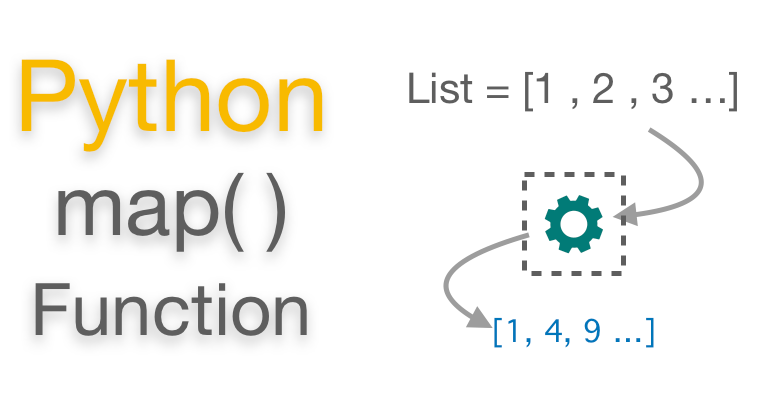
A loop and can often do the same job. The difference is in style and readability.
When a For Loop Feels Better
A loop is a great choice when:
- your logic is complex
- you need conditions inside the loop
- you want to perform multiple actions
- you are just starting and want code that feels very direct
When map() Feels Better
works well when:
- you want to apply one simple operation to every item
- you want shorter code
- you are using a built-in function or lambda
- you want to keep your transformation clear and focused
Example With a For Loop
Both work fine. The difference is that gives you a shorter and more elegant way to handle simple transformations.
Using map() With Built-In Functions
One of the best things about is that it works nicely with built-in functions too. You do not always need to write a custom function.
map() With len()
Suppose you want to find the length of each word in a list.
Output:
<span class="line">[7, 2, 7, 8]</span>Here, is applied to every word in the list.
map() With math.sqrt()
You can also use with functions from modules like .
<span class="line">[3.0, 6.0, 7.0, 9.0, 11.0]</span>This is a nice example of how helps simplify repetitive tasks.
Using map() With Lambda Functions
A lambda function is a short, anonymous function. It is useful when you do not want to create a separate named function for a tiny operation.
and are often used together because they make the code compact.
Example: Doubling Numbers
<span class="line">[12, 18, 42, 88]</span>You can also use lambda for small changes like:
- adding a number
- converting text
- trimming spaces
- changing case
Just remember: if the logic becomes too long, a normal function is easier to read.
How map() Works With Different Iterables
Python iterables are everywhere. That is why is so useful. It is not limited to lists only.
Strings
A string behaves like a sequence of characters. So you can pass each character through a function.
This will convert each character to uppercase.
Tuples
Tuples work just like lists in this case.
Sets
Sets can also be used with , though remember that set order is not fixed.
Dictionaries
Dictionaries are a little different because they store key-value pairs. If you want to work with both keys and values, use .
This changes each value while keeping the same keys.
Can map() Use Multiple Iterables?
Yes, it can.
This is a helpful feature when you want to process two lists together.
Example With Two Lists
Output:
<span class="line">[5, 7, 9]</span>One important thing to remember: stops when the shortest iterable ends.
Why map() Is Helpful for Iterative Operations
If your code involves doing the same thing again and again, can make your life easier.
Key benefits of map()
- It reduces repeated code
- It makes transformations look cleaner
- It works well with built-in functions
- It supports lazy evaluation
- It can make your code easier to read for simple tasks
For students and beginners, this is a great concept to learn early because it builds a strong base for writing neat Python code.
Common Mistakes to Avoid
Like any Python feature, is easy to use once you understand the basics. But beginners sometimes make a few small mistakes.
1. Forgetting to convert the map object
If you print a map object directly, you will not see the actual results.
<span class="line">result = map(str.upper, ["a", "b", "c"])</span>
<span class="line">print(result)</span>
Use if you want readable output.
2. Using the wrong function signature
If you pass multiple iterables, your function must accept the same number of values.
3. Expecting the original iterable to change
does not modify the original list or tuple. It only creates transformed values.
4. Using map() for very complex logic
If your operation needs many conditions, nested steps, or extra checks, a loop may be easier to understand.
When Should You Use map()?
Use when:
- you want to transform every item in a sequence
- the logic is simple and direct
- you want clean, compact code
- you are working with a built-in function or lambda
- you want to process data without writing a long loop
If the task is more complicated, do not force . Python also values clarity, so the best code is the one that is easy to read.
Become A Python With Kaashiv Infotech
Looking to dive into the world of Python and carve your path to success? Kaashiv Infotech is here for you! Our Comprehensive Python Course in chennai is specially designed by experts to equip you with practical skills and real-world experience that will help you to set your foot in the competitive Python industry.
Let’s break down our course offerings to see what makes our course stand out:
- Live Industry Projects + Real-Time Implementation: You’ll work on a variety of projects to build a solid portfolio, enhanced by 2 real-time industry projects provided per internship that showcase your practical skills.
- Practice Exercises: Get hands-on practice with daily exercises that enhance your learning and help you master key concepts in a practical environment.
- Doubt Clearing Sessions: Our regular doubt sessions ensure that no question goes unanswered, giving you clarity on all concepts directly from our trainers.
- Kaashiv Lab for Coding: Access our exclusive infrastructure and lab facilities for coding practice, polishing your technical skills in a supportive, hands-on environment.
- Training by Microsoft MVPs & Google-Recognized Experts: Learn from industry leaders. Our curriculum is led by Microsoft MVPs and Google-recognized experts, ensuring industry-relevant skills and techniques.
- Triple Certification Credentialing: Earn a robust set of credentials upon completion—comprising an Internship Certificate, an python Inplant Training (IPT) Certificate, and an Industrial Exposure Certificate—valued by employers in the industry.
- Q&A Forum: Engage with fellow batchmates and instructors in our interactive sessions to exchange ideas, seek advice, and collaborate on projects.
- Instructor-Led Sessions: Benefit from interactive sessions led by experienced instructors who guide you every step of the way through complex algorithms and architectures.
- Interview Opportunities & ATS Tools: Gain access to interview opportunities, ATS-friendly resume tools, and a comprehensive interview question bank to help you land your dream job.
- 100% Job Assistance Guarantee + Alumni Support: We’re offering 100% job assistance along with ongoing support from our wide alumni network spanning top tech companies.
So what are you waiting for? Launch your career with confidence! Join the Kaashiv Infotech [Cloud/Black chain/ Data analytics] Course and unlock your potential today.
Frequently Asked Questions
What is map() in Python used for?
map is used to apply a function to every item in an iterable. It helps you process multiple values in a simple and consistent way.
Does map() return a list in Python?
No. map returns a map object, which is an iterator. You can convert it to a list, tuple, or set if needed.
What is the difference between map() and filter()?
map changes data by applying a function to each item. keeps only the items that meet a condition.
Can map() be used with lambda in Python?
Yes, absolutely. map() and lambda work well together when you want short and quick transformations.
Can map() take more than one iterable?
Yes, map() can take multiple iterables. The function you pass must be able to handle values from each iterable.
Conclusion
The map function in Python is a smart and simple way to handle repetitive transformations. Instead of writing long loops for every small task, you can use map() to apply one function across many items in just a few lines.
It works with lists, tuples, strings, sets, dictionaries, built-in functions, and lambda expressions. That makes it a flexible tool for beginners and experienced developers alike.
If you are learning Python and want to build strong coding habits, understanding is a great step forward. At kaashiv infotech.com, we believe learning small but powerful Python concepts like this can make your programming journey much smoother.
When used in the right place, helps you write cleaner, smarter, and more readable Python code.


