
Key Highlights
- ✅ TypeScript Vs JavaScript: Understand the biggest differences in simple words.
- ✅ Learn when to choose JavaScript and when TypeScript is the better option.
- ✅ Compare performance, syntax, learning curve, and job opportunities.
- ✅ Discover why many large companies prefer TypeScript in 2026.
- ✅ Find out which language is best for beginners and experienced developers.
TypeScript Vs JavaScript: Which is Best in 2026?
TypeScript Vs JavaScript is one of the most common questions I hear from beginners. TypeScript Vs JavaScript isn’t about choosing a winner for everyone—it’s about choosing the right tool for your goals.
When I first started learning web development, I only knew JavaScript. It felt exciting because I could make websites interactive with just a few lines of code. Later, I discovered TypeScript and wondered, “Why would anyone add another language on top of JavaScript?”
After working with both, I realized they solve different problems.
If you’re wondering which one you should learn in 2026, you’re in the right place. I’ll explain everything in simple words without overwhelming you.
What Is JavaScript?
JavaScript is a programming language that makes websites interactive.
Without JavaScript, most websites would feel static. Think about:
- 🎯 Image sliders
- ❤️ Like buttons
- 🛒 Shopping carts
- 📋 Forms
- 💬 Chat applications
These features work because of JavaScript.
Today, JavaScript is everywhere—not just in browsers but also on servers using Node.js.
Example
let name = "John";
console.log(name);
Simple and beginner-friendly.
What Is TypeScript?
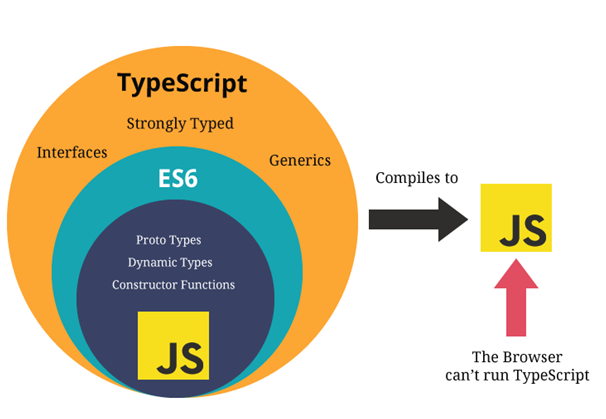
TypeScript is an extension of JavaScript created by Microsoft.
It adds one important feature:
👉 Static typing
That means you can define what type of data a variable should hold before running the program.
Example:
let name: string = "John";Here, TypeScript knows that name must always contain text.
If you accidentally assign a number, TypeScript warns you before the code runs.
That’s one reason many developers love it.
TypeScript Vs JavaScript: Main Difference
The biggest difference is simple.
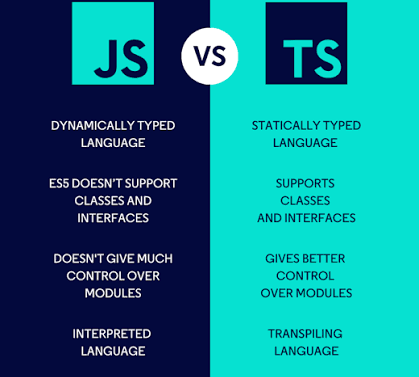
| JavaScript | TypeScript |
|---|---|
| Dynamically typed | Statically typed |
| Easy to learn | Slightly harder initially |
| No compilation needed | Must be compiled to JavaScript |
| Better for small projects | Better for large projects |
| Less strict | More structured |
Both languages are powerful.
The real question is: What are you building?
Why Do Developers Choose JavaScript?
I still enjoy writing JavaScript because it lets me build something quickly.
Some advantages include:
- ✅ Easy syntax
- ✅ Fast development
- ✅ Huge community
- ✅ Works in every browser
- ✅ Thousands of libraries
- ✅ Great for beginners
If you’re creating a small website or learning programming for the first time, JavaScript is an excellent choice.
Why Do Developers Choose TypeScript?
As projects become larger, mistakes become expensive.
That’s where TypeScript shines.
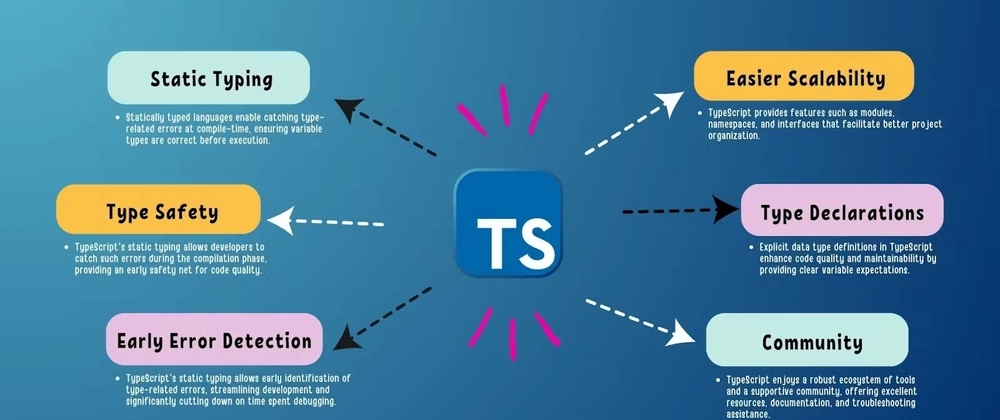
Some benefits are:
- ✔️ Finds errors early
- ✔️ Better code completion
- ✔️ Easier debugging
- ✔️ Improved readability
- ✔️ Better teamwork
- ✔️ Excellent support in modern editors
When many developers work on the same project, TypeScript helps everyone stay organized.
TypeScript Vs JavaScript for Beginners
This is probably the question I get asked the most.
My advice?
👉 Start with JavaScript.
Here’s why:
- It has simpler syntax.
- You’ll understand programming concepts faster.
- Almost every TypeScript tutorial assumes you already know JavaScript.
Once you’re comfortable with variables, loops, functions, arrays, and objects, learning TypeScript becomes much easier.
Think of TypeScript as the next step—not the first step.
TypeScript Vs JavaScript Performance
Many beginners think TypeScript is faster.
Actually, that’s not true.
Here’s why:
TypeScript is compiled into JavaScript before it runs in the browser or on Node.js.
After compilation, browsers execute JavaScript—not TypeScript.
So in most real-world situations, runtime performance is very similar.
The real advantage of TypeScript is developer productivity, not execution speed.
TypeScript Vs JavaScript Syntax
JavaScript keeps things simple.
Example:
let age = 25;TypeScript adds type information.
let age: number = 25;It looks like a small difference, but in larger applications, those types make the code easier to understand and maintain.
TypeScript Vs JavaScript Error Checking
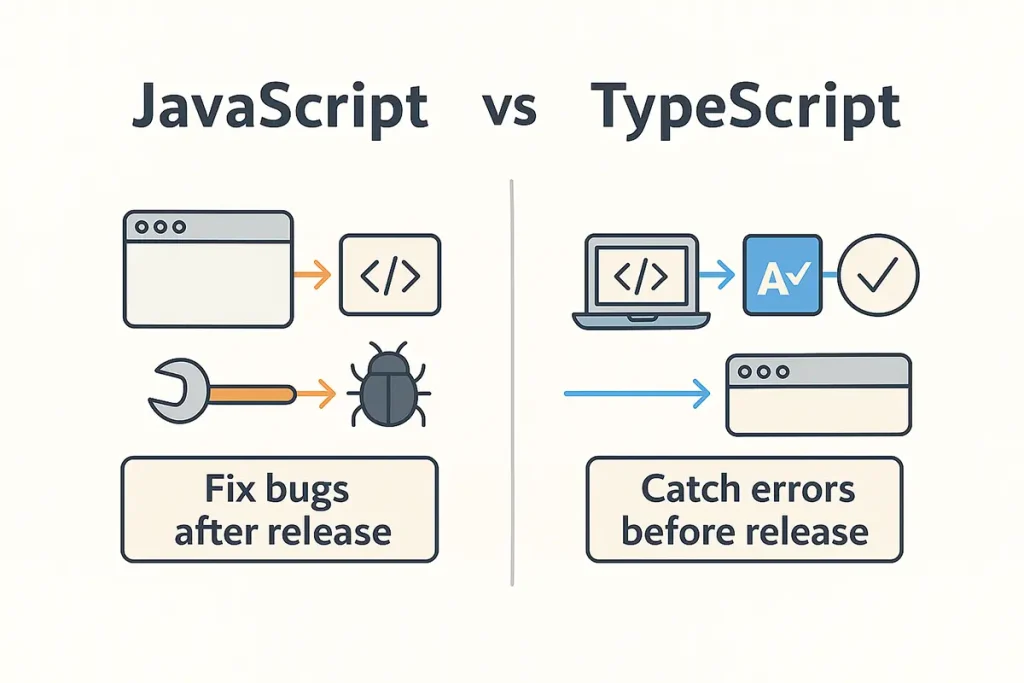
One feature I appreciate most in TypeScript is early error detection.
Imagine this:
let age = "25";
age = true;
JavaScript allows this.
Now look at TypeScript.
let age: number = 25;
age = true;
TypeScript immediately reports an error because true isn’t a number.
Finding mistakes before running the application saves time and reduces bugs.
TypeScript Vs JavaScript in Large Projects
If you’re building:
- Banking software
- Healthcare systems
- E-commerce platforms
- Enterprise applications
- SaaS products
TypeScript is often the preferred choice.
Large codebases benefit from its type checking, better documentation through types, and improved maintainability.
TypeScript Vs JavaScript in Small Projects
For:
- Personal portfolios
- Landing pages
- Small business websites
- Simple blogs
- Quick prototypes
JavaScript is often enough.
Sometimes adding TypeScript to a tiny project introduces extra setup without providing significant benefits.
Popular Companies Using TypeScript
Many well-known companies use TypeScript in parts of their applications.
Examples include:
- Microsoft
- Slack
- Airbnb
- Asana
- Shopify
These companies manage large codebases, where TypeScript’s tooling and type safety provide real value.
Popular Frameworks Supporting TypeScript
TypeScript works well with modern frameworks like:
- Angular
- React
- Vue
- Next.js
- NestJS
Most modern JavaScript frameworks now offer excellent TypeScript support.
Learning Curve: TypeScript Vs JavaScript
JavaScript is easier to start.
TypeScript requires learning additional concepts such as:
- Types
- Interfaces
- Enums
- Generics
- Type aliases
At first, this may seem challenging.
But once you understand these ideas, writing large applications becomes much smoother.
Career Opportunities in 2026
In 2026, employers value developers who understand both JavaScript and TypeScript.
Many job postings mention:
- Front-End Developer
- Full Stack Developer
- React Developer
- Angular Developer
- Node.js Developer
- Software Engineer
Knowing TypeScript can give you an advantage, especially for enterprise-level roles.
Should You Learn JavaScript First or TypeScript?
If I were starting over today, I’d follow this path:
- Learn HTML
- Learn CSS
- Learn JavaScript
- Build small projects
- Learn ES6 features
- Move to TypeScript
- Learn React or Angular
- Build real-world applications
This progression helps you understand the fundamentals before adding TypeScript’s advanced features.
TypeScript Vs JavaScript: Quick Comparison
| Feature | JavaScript | TypeScript |
|---|---|---|
| Easy to Learn | ⭐⭐⭐⭐⭐ | ⭐⭐⭐ |
| Type Safety | ❌ | ✅ |
| Compilation | ❌ | ✅ |
| Browser Support | ✅ | ✅ (after compilation) |
| Best for Beginners | ✅ | ❌ |
| Best for Large Projects | ⚠️ | ✅ |
| Debugging | Good | Excellent |
| Job Demand | High | Very High |
Final Verdict: Which Is Best in 2026? 🎯
When it comes to TypeScript Vs JavaScript, there isn’t a universal winner.
- Choose JavaScript if you’re a beginner, building small projects, or want to learn web development fundamentals quickly.
- Choose TypeScript if you’re working on large applications, collaborating with teams, or aiming for enterprise-level software development.
My recommendation is simple: learn JavaScript first, then TypeScript. They complement each other rather than compete. By understanding both, you’ll be better prepared for modern web development and a wider range of career opportunities in 2026.
Want to learn more about javascript??, kaashiv Infotech Offers Front End Development Course, Full Stack Development Course, & More www.kaashivinfotech.com.

