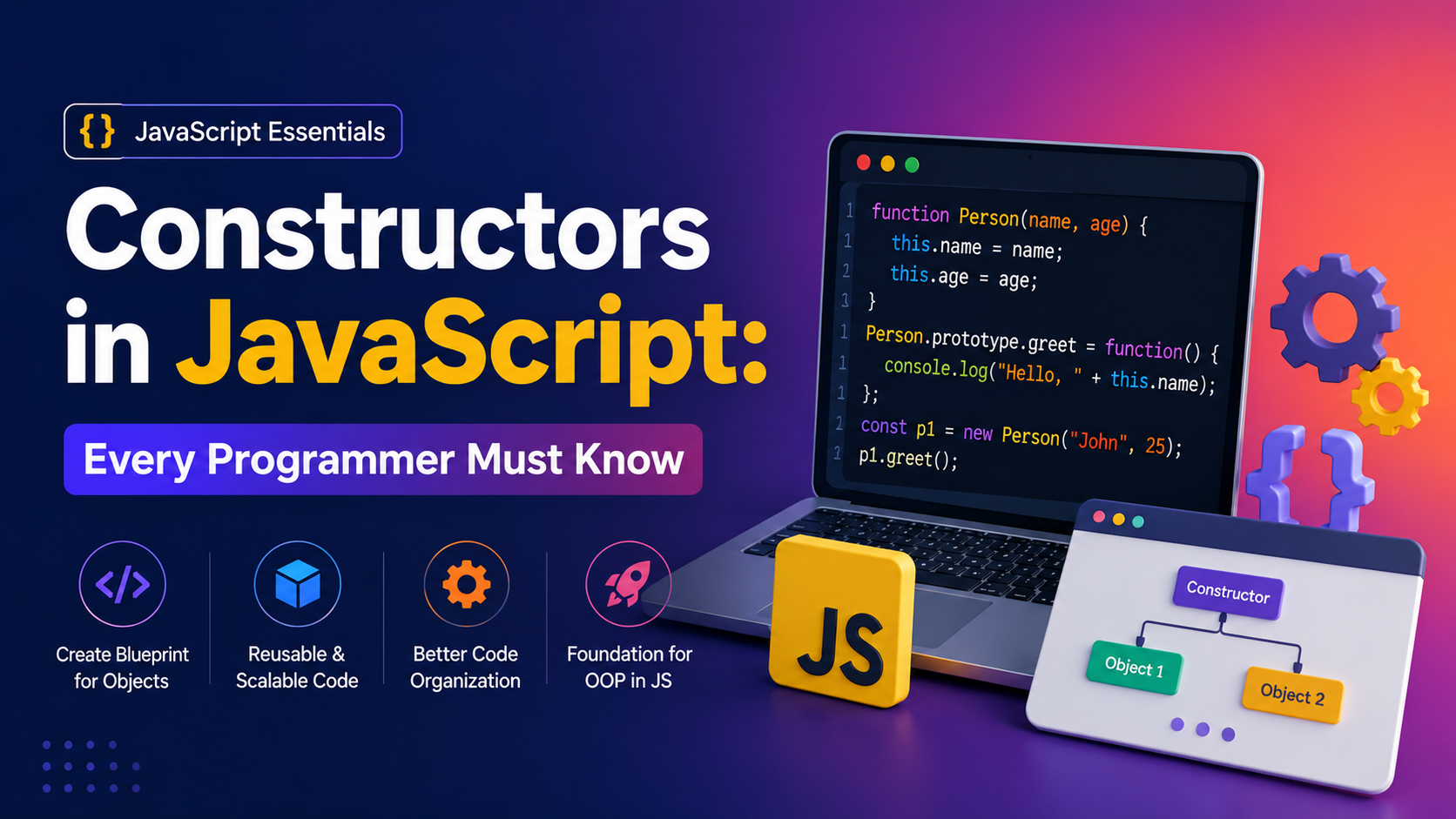
Constructors in JavaScript: Every Programmer Must Know. Constructors in JavaScript: Every Programmer Must Know.
If you’ve ever wondered why JavaScript developers use constructors or what problem they actually solve, you’re in the right place.
I’ll be honest.
When I first learned JavaScript, constructors felt confusing. I could create variables, functions, and objects without any trouble. Then suddenly someone introduced constructor functions and the new keyword.
My first reaction?
“Why can’t I just create objects normally?”
A few real-world projects later, the answer became obvious.
Constructors help us create multiple objects with the same structure without repeating code again and again. They’re one of those JavaScript concepts that seem unnecessary at first but become incredibly useful once you start building larger applications.
In this guide, I’ll explain Constructors in JavaScript: Every Programmer Must Know in simple language, with examples, practical use cases, and beginner-friendly explanations.

📌 Key Highlights
- Learn what constructors are in JavaScript.
- Understand why constructors exist.
- Discover how the
newkeyword works. - Create multiple objects efficiently.
- Learn constructor functions with real examples.
- Understand built-in JavaScript constructors.
- Explore common mistakes beginners make.
- Compare constructors and object literals.
- Learn modern alternatives using ES6 classes.
What Are Constructors in JavaScript?
Let’s start simple.
A constructor is a special function used to create and initialize objects.
Think of it like a cookie cutter.
Imagine you’re baking cookies 🍪.
Instead of shaping every cookie by hand, you use a cookie cutter to create identical shapes quickly.
A constructor works the same way.
Instead of manually creating multiple objects, you create a blueprint once and generate as many objects as you want.
Without a Constructor
let student1 = {
    name: "John",
    age: 20
};

let student2 = {
    name: "Sarah",
    age: 22
};
This works.
But what if you need 100 students?
Nobody wants to write that much repetitive code.
Why Constructors in JavaScript Matter
One reason Constructors in JavaScript: Every Programmer Must Know is such an important topic is because constructors save time.
They help us:
✅ Reduce code duplication
✅ Improve code organization
✅ Create reusable object templates
✅ Build scalable applications
I’ve worked on projects where hundreds of objects needed the same structure.
Without constructors, maintaining the code would have been painful.
Constructor Functions in JavaScript
A constructor function looks like a normal function.
The difference?
We use it with the new keyword.
function Student(name, age) {
    this.name = name;
    this.age = age;
}
Now let’s create objects.
let student1 = new Student("John", 20);
let student2 = new Student("Sarah", 22);

console.log(student1);
console.log(student2);
Output:
Student { name: "John", age: 20 }
Student { name: "Sarah", age: 22 }
Pretty neat, right?
One function.
Unlimited objects.
Understanding the new Keyword
Whenever I teach JavaScript, students often ask:
“What exactly does the new keyword do?”
Great question.
When JavaScript sees:
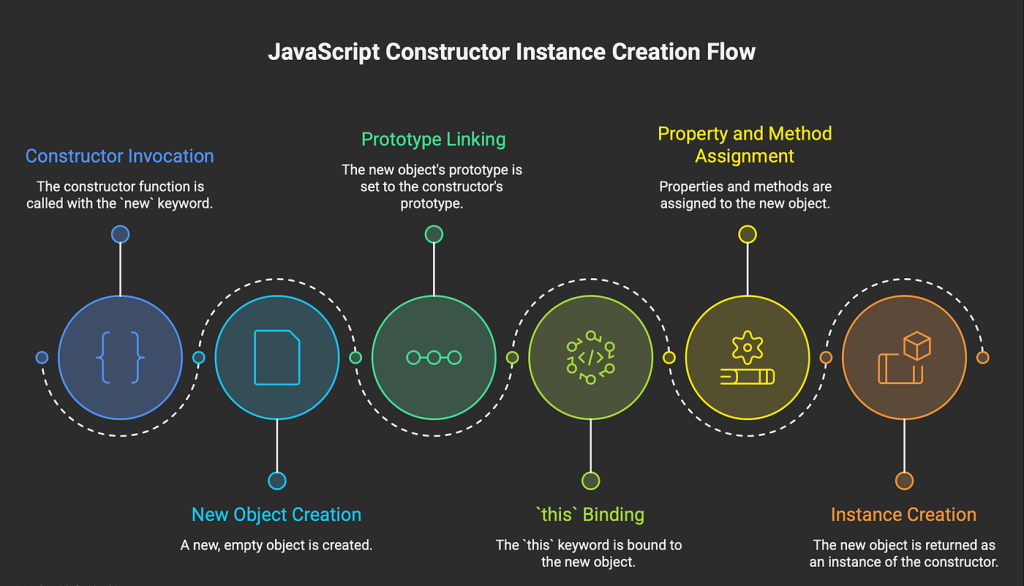
new Student("John", 20);It performs four steps:
- Creates a new empty object.
- Links the object to the prototype.
- Assigns
thisto the new object. - Returns the object automatically.
This process happens behind the scenes.
Most beginners use new without knowing what’s happening.
Understanding it makes constructors much easier.
Constructors in JavaScript: Every Programmer Must Know for Object Creation
Let’s create another example.
function Car(brand, model) {
    this.brand = brand;
    this.model = model;
}
Now:
let car1 = new Car("Toyota", "Camry");
let car2 = new Car("Honda", "City");
Output:
Car { brand: "Toyota", model: "Camry" }
Car { brand: "Honda", model: "City" }
This is exactly how many real-world applications generate objects dynamically.
Adding Methods Inside Constructor Functions
Objects usually do more than store data.
They perform actions too.
Example:
function Employee(name) {

    this.name = name;

    this.greet = function() {
        console.log("Hello " + this.name);
    };
}
Creating objects:
let emp1 = new Employee("David");

emp1.greet();
Output:
Hello DavidNow every employee object can greet users.
Built-In Constructors in JavaScript
Interestingly, JavaScript already provides several constructors.
Examples include:
- Object()
- Array()
- String()
- Number()
- Boolean()
- Date()
Array Constructor
let colors = new Array(
    "Red",
    "Blue",
    "Green"
);
Date Constructor
let today = new Date();These are examples of built-in constructors you probably use without realizing it.
Common Mistakes Beginners Make
While learning Constructors in JavaScript: Every Programmer Must Know, I made several mistakes.
Maybe you’ve made them too.
Forgetting the new Keyword
Wrong:
let student = Student("John", 20);Correct:
let student = new Student("John", 20);Without new, JavaScript behaves differently and can create bugs.
Using Arrow Functions as Constructors
Arrow functions cannot be used as constructors.
Wrong:
const Student = (name) => {
    this.name = name;
};
This will not work properly with new.
Naming Constructors Incorrectly
Convention says constructor names should start with a capital letter.
Good:
function Student() {}Bad:
function student() {}Following conventions makes code easier to read.
Constructors vs Object Literals
Many beginners ask:
“Should I use object literals or constructors?”
Let’s compare.
Object Literal
let user = {
    name: "Alex",
    age: 25
};
Best for:
- Single objects
- Small projects
Constructor Function
function User(name, age) {
    this.name = name;
    this.age = age;
}
Best for:
- Multiple objects
- Reusable code
- Large applications
Modern Alternative: ES6 Classes
Today many developers prefer classes.
Example:
class Student {

    constructor(name, age) {
        this.name = name;
        this.age = age;
    }
}
Creating objects:
let student1 = new Student("John", 20);Behind the scenes?
Classes still use constructor concepts.
That’s why understanding Constructors in JavaScript: Every Programmer Must Know remains essential.
Real-Life Example of Constructors
Imagine you’re building a school management system.
You may have:
- 500 students
- 100 teachers
- 50 staff members
Writing each object manually would be exhausting.
Instead:
function Student(name, grade) {

    this.name = name;
    this.grade = grade;
}
Now you can create hundreds of students instantly.
That’s where constructors shine.
Best Practices for Using Constructors
Here are a few habits I recommend:
✅ Use PascalCase naming
Student
Employee
Car
✅ Keep constructors focused
✅ Avoid unnecessary complexity
✅ Use prototypes when sharing methods
✅ Consider ES6 classes for modern projects.
Final Thoughts
If there’s one thing I learned while working with JavaScript, it’s this:
Constructors in JavaScript: Every Programmer Must Know isn’t just another theory topic.
It’s a practical concept you’ll encounter in real projects, frameworks, libraries, and interviews.
At first, constructors may feel unnecessary. Trust me, I felt the same way.
But once you start creating multiple objects and building larger applications, you’ll appreciate how much cleaner and more organized your code becomes.
So the next time you see the new keyword or a constructor function, don’t panic. Think of it as a blueprint that helps you create objects efficiently.
Master constructors today, and you’ll understand JavaScript objects on a much deeper level tomorrow. 🚀
Want to learn more about javascript??, kaashiv Infotech Offers Front End Development Course, Full Stack Development Course, & More www.kaashivinfotech.com.