
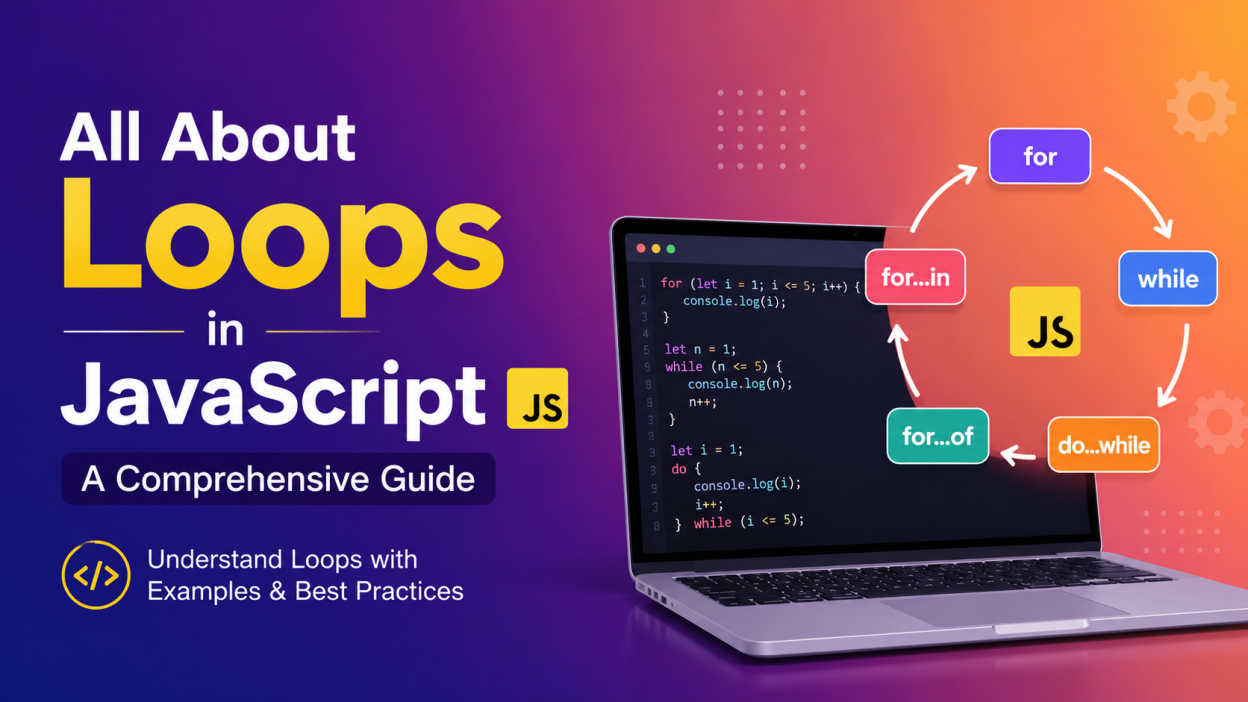
When I first started learning JavaScript, loops confused me more than I expected. I kept asking myself, “Why should I write a loop when I can just write the same statement multiple times?” 🤔
Then one day, I had to print numbers from 1 to 100. Writing console.log() one hundred times suddenly felt ridiculous! That’s when I realized how powerful loops really are.
So if you’re searching for All About Loops in JavaScript: A Comprehensive Guide, you’re in the right place. In this guide, I’ll explain everything in simple language, just like I wish someone had explained it to me when I was learning.
By the end of this article, you’ll understand:
- ✅ What loops are
- ✅ Why we use loops
- ✅ Different types of loops
- ✅ When to use each loop
- ✅ Real-world examples
- ✅ Common mistakes beginners make
- ✅ Best practices
Let’s jump in! 🚀
🌟 Key Highlights
- 📌 Understand what loops are in JavaScript
- 📌 Learn why loops are important
- 📌 Explore every JavaScript loop with examples
- 📌 Understand for, while, do…while, for…of, for…in, and forEach()
- 📌 Learn real-life use cases
- 📌 Avoid common beginner mistakes
- 📌 Follow best practices for writing cleaner code
🤔 What Are Loops in JavaScript?
A loop is a programming structure that repeats a block of code until a specified condition becomes false.
Instead of writing the same code again and again, we let JavaScript do the repetitive work.
Think about brushing your teeth.
You don’t consciously think:
- Brush…
- Brush…
- Brush…
- Brush…
You simply repeat the same action until you’re done.
That’s exactly how loops work.
💡 Why Do We Use Loops?
Imagine printing numbers from 1 to 10.
Without loops:
console.log(1);
console.log(2);
console.log(3);
...
console.log(10);
Now imagine printing numbers from 1 to 10,000.
Sounds impossible, right?
With a loop:
for(let i=1;i<=10000;i++)
{
    console.log(i);
}
Done! 😄
That’s the beauty of loops.
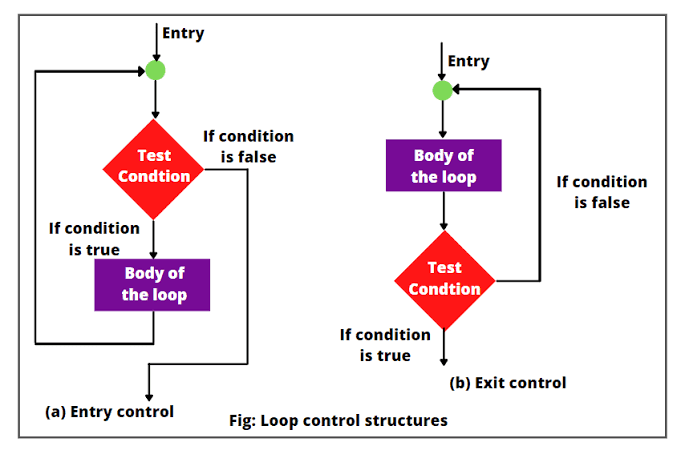
🛒 Real-Life Example
Imagine you’re working in a supermarket.
Every customer comes to the billing counter.
The cashier repeats the same steps:
- Scan item
- Display price
- Add total
- Print bill
The process stays the same.
Only the customer changes.
That’s exactly what a loop does.
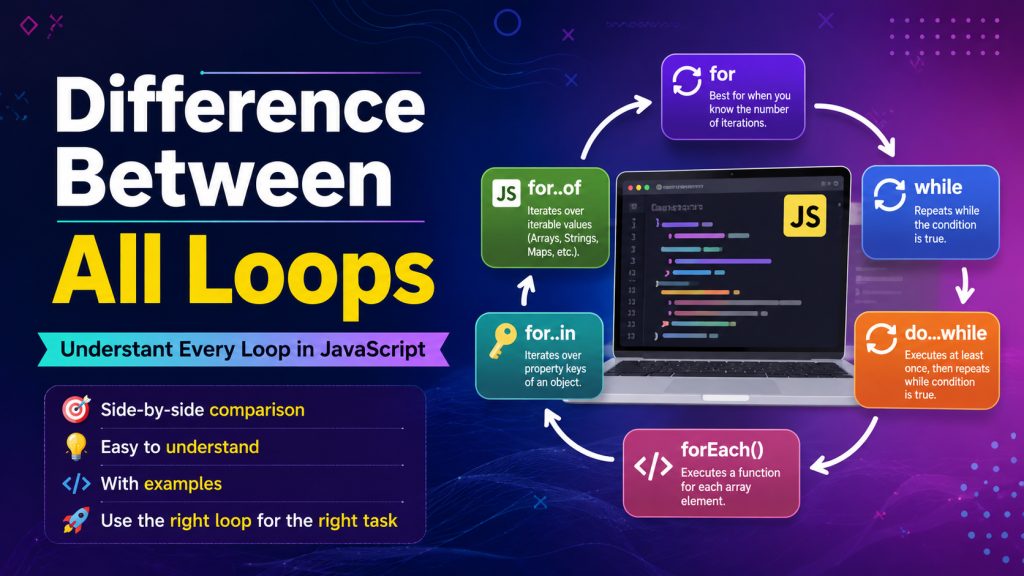
🔄 Types of Loops in JavaScript
JavaScript provides several kinds of loops.
- for loop
- while loop
- do…while loop
- for…of loop
- for…in loop
- forEach() method
Let’s understand each one.
1️⃣ for Loop in JavaScript
The for loop is the most commonly used loop.
I personally use it whenever I know exactly how many times something should repeat.
Syntax
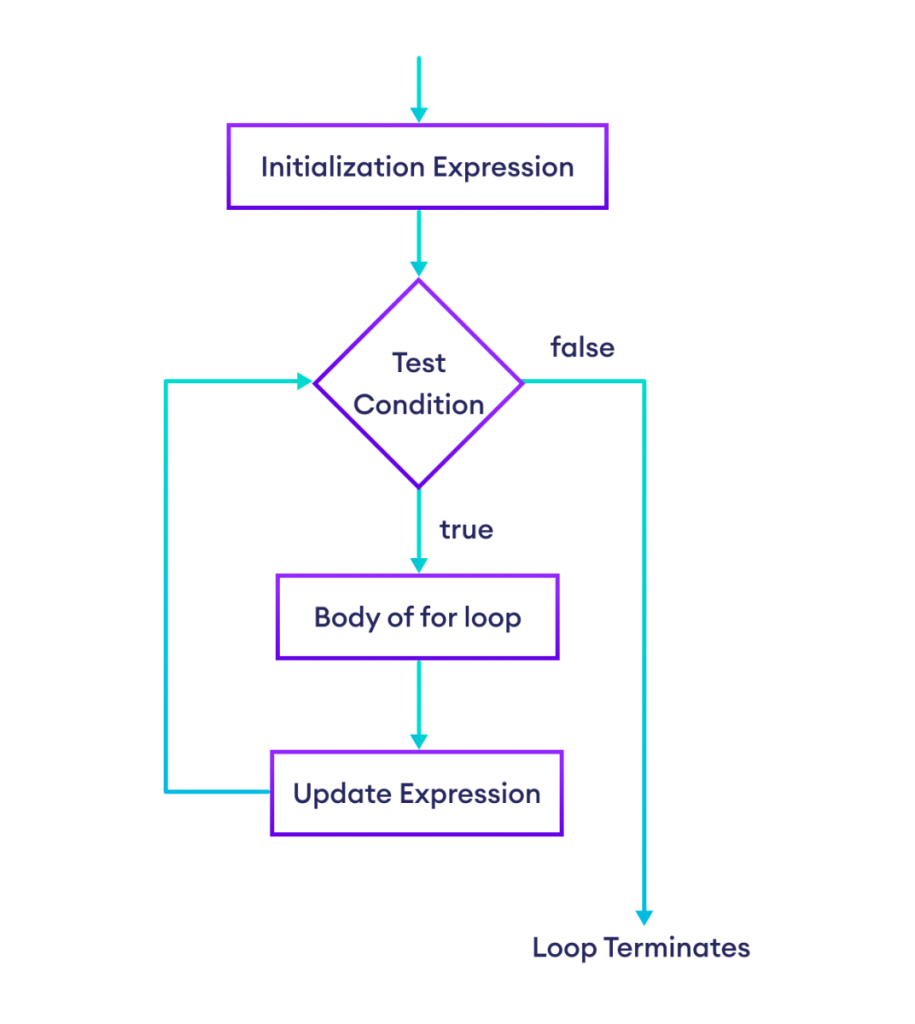
for(initialization; condition; increment)
{
   // code
}
Example
for(let i=1;i<=5;i++)
{
   console.log(i);
}
Output
1
2
3
4
5
How it Works
- Initialization happens once.
- Condition is checked.
- Code executes.
- Variable increments.
- Process repeats.
📍 When Should You Use a for Loop?
Use it when:
- You know the number of iterations.
- Counting numbers.
- Displaying tables.
- Running calculations.
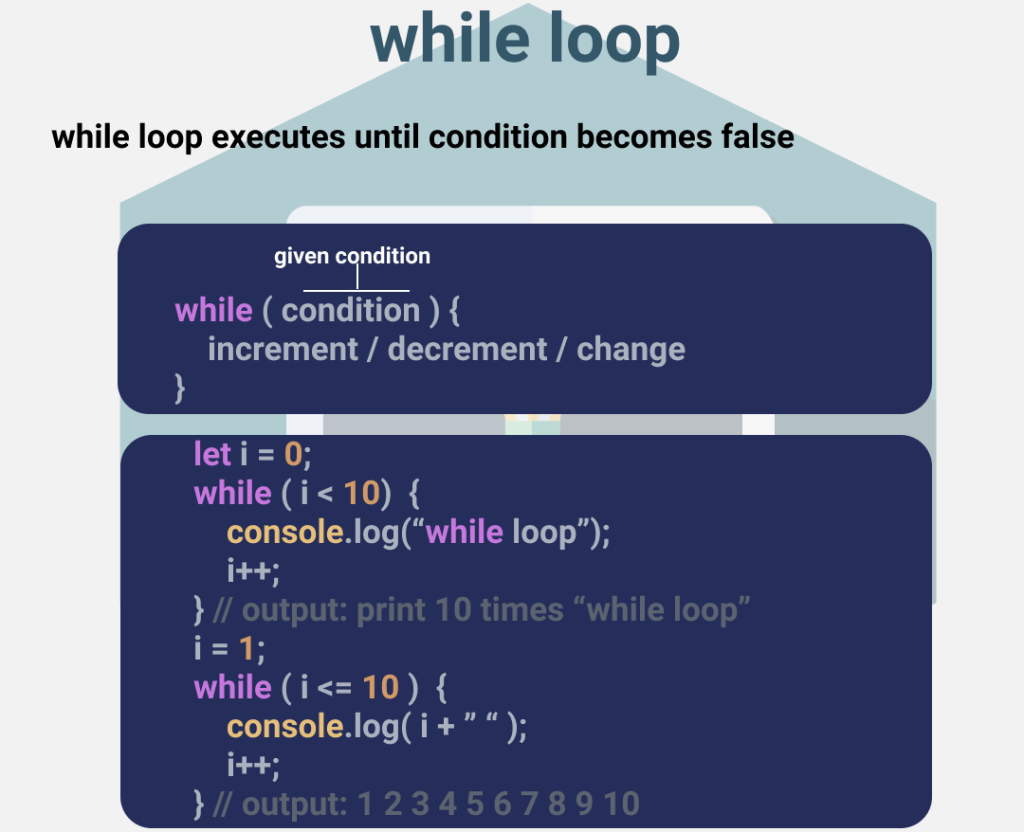
2️⃣ while Loop in JavaScript
The while loop executes as long as a condition remains true.
Unlike the for loop, we usually don’t know how many times it will run.
Syntax
while(condition)
{
   // code
}
Example
let i=1;

while(i<=5)
{
   console.log(i);
   i++;
}
📍 When Should You Use a while Loop?
I mostly use while loops when:
- Reading user input
- Waiting for data
- Running until a condition changes
3️⃣ do…while Loop in JavaScript
This loop is a little different.
It executes at least once, even if the condition is false.
That surprised me when I first learned it!
Syntax
do
{
   // code
}
while(condition);
Example
let i=10;

do
{
   console.log(i);
   i++;
}
while(i<=5);
Output
10Even though the condition is false, the code runs once.
📍 When Should You Use do…while?
Use it when you want the code to execute at least once.
Example:
- ATM menu
- Login attempts
- User choices
4️⃣ for…of Loop in JavaScript
The for…of loop is mainly used for arrays, strings, and other iterable objects.
Example
let fruits=["Apple","Mango","Orange"];

for(let fruit of fruits)
{
   console.log(fruit);
}
Output
Apple
Mango
Orange
I love using for…of because the syntax feels clean and easy to read.
📍 Use for…of When
- Working with arrays
- Reading strings
- Iterating over iterable objects
5️⃣ for…in Loop in JavaScript
The for…in loop is used to iterate over the properties (keys) of an object.
Example
let student={
name:"John",
age:22,
city:"Chennai"
};

for(let key in student)
{
   console.log(key);
}
Output
name
age
city
You can also access the values:
console.log(student[key]);📍 Use for…in When
- Working with objects
- Reading property names
- Accessing object data
6️⃣ forEach() Method
Although technically forEach() is an array method rather than a loop, you’ll see developers use it constantly.
Example
let numbers=[10,20,30];

numbers.forEach(function(number)
{
   console.log(number);
});
Output
10
20
30
I often use forEach() when I simply want to perform an action on every element in an array.
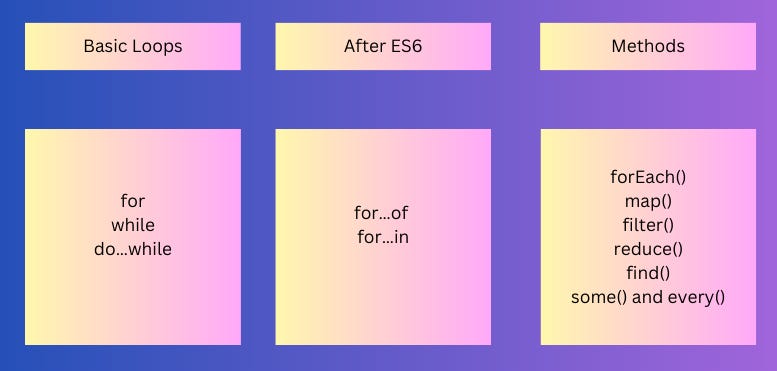
🔥 Difference Between All Loops
| Loop | Best Used For |
|---|---|
| for | Fixed number of iterations |
| while | Unknown number of iterations |
| do…while | Execute at least once |
| for…of | Arrays and strings |
| for…in | Objects |
| forEach() | Arrays only |
🌍 Real-Life Examples of JavaScript Loops
You’ll find loops everywhere.
For example:
- 🎮 Game score updates
- 🛒 Shopping cart items
- 📧 Reading emails
- 📱 Social media feeds
- 🎵 Music playlists
- 📷 Photo galleries
- 📊 Dashboard reports
- 📚 Student attendance systems
Whenever data repeats, a loop is usually involved.
❌ Common Mistakes Beginners Make
I made almost every one of these mistakes while learning. If you’re just starting, don’t worry—it’s part of the process.
Forgetting to increment
while(i<=5)
{
   console.log(i);
}
This creates an infinite loop because i never changes.
Wrong condition
for(let i=1;i>=5;i++)The condition is incorrect, so the loop never executes.
Using the wrong loop
Using for…in on an array when for…of is more appropriate can produce unexpected results. Choose the loop that matches the type of data you’re working with.
💡 Best Practices
✔ Keep loops simple.
✔ Avoid unnecessary nested loops.
✔ Use meaningful variable names.
✔ Stop loops as early as possible when you’ve found what you need.
✔ Pick the right loop for the job instead of forcing one style everywhere.
🎯 My Personal Advice
When I started learning JavaScript, I tried to memorize every loop. That didn’t work very well.
What helped me was writing small programs every day:
- Print numbers
- Find even numbers
- Reverse a string
- Display multiplication tables
- Loop through arrays
- Build simple mini-projects
After enough practice, choosing the right loop became natural.
If you’re learning now, don’t rush. Write code, make mistakes, fix them, and repeat. That’s how confidence grows.
✅ Conclusion
If you’ve been looking for All About Loops in JavaScript: A Comprehensive Guide, I hope this article has made the topic much easier to understand.
Loops aren’t just another JavaScript concept—they’re one of the building blocks of programming. Whether you’re displaying products in an online store, processing student records, or creating interactive web applications, you’ll use loops almost every day.
My advice? Don’t just read about loops. Open your code editor and experiment with each one. Change the conditions, modify the values, and see what happens. That’s how I learned, and it’s still the best way to build confidence.
Keep practicing, stay curious, and before long, using JavaScript loops will feel as natural as writing a simple console.log(). Happy coding! 💻✨
Want to learn more about javascript??, kaashiv Infotech Offers Front End Development Course, Full Stack Development Course, & More www.kaashivinfotech.com.


