
Where Is My Girlfriend Location?Here’s Exactly How to Locate Any Phone Easily
Let’s be real—at some point, we’ve all asked ourselves: Where is my girlfriend location right now? Maybe it’s to check if she’s safe, or you’re just trying to find a lost phone. Whether you’re concerned about loved ones or just curious, mobile tracking in 2025 is more advanced (and easier) than ever before.
⚠️ Before You Begin: Respect boundaries. Tracking someone without consent is unethical and often illegal. Use these tools responsibly and legally.
Key Highlights: How to Locate Any Phone Easily
-
Learn how mobile tracking works in 2025
-
Discover a simple trick to track a phone number
-
Understand the ethical & legal considerations of using tools like LocateAnyPhone
-
Explore Google Maps real-time tracking features
The Easiest Trick to Track a Mobile in 2025: Track a Mobile Location Using Google Maps 📍
Step-by-Step Guide: How to Locate Any Phone Easily via Google Maps
For seamless and continuous tracking, the best method is to add your Google account to their phone. This allows you to access their location without requiring them to share it manually every time.
Step 1: Open Google Maps
- Tap on the Google Maps app on your phone.

Step 2: Go to Your Profile
-
- In the top-right corner, tap on your profile picture or initials.
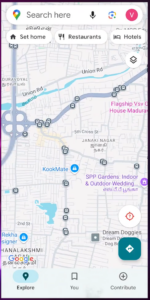
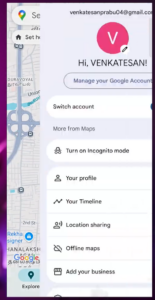
- In the top-right corner, tap on your profile picture or initials.
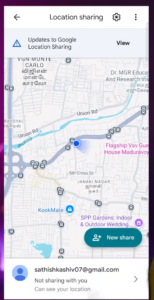
Step 3: Open Location Sharing
- Select “Location Sharing” from the menu.
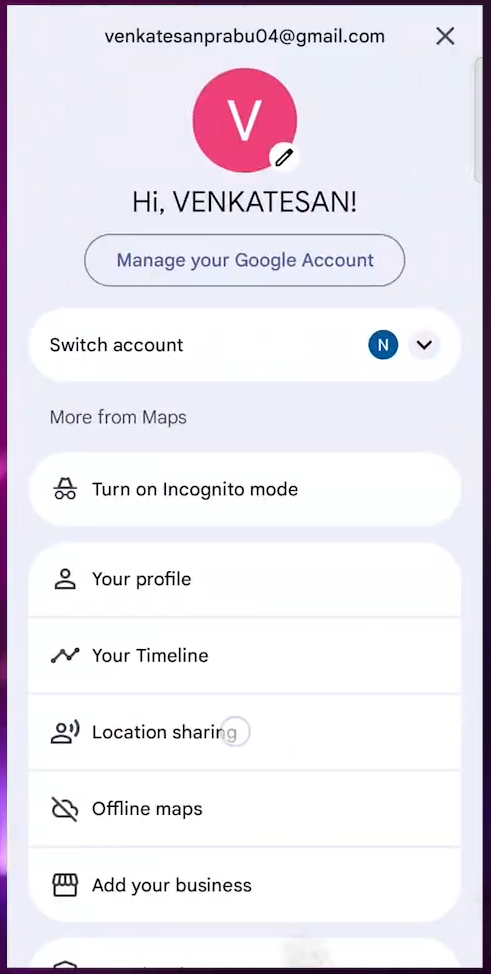
Step 4: Start a New Sharing
- Tap “New Share” to begin sharing your location.
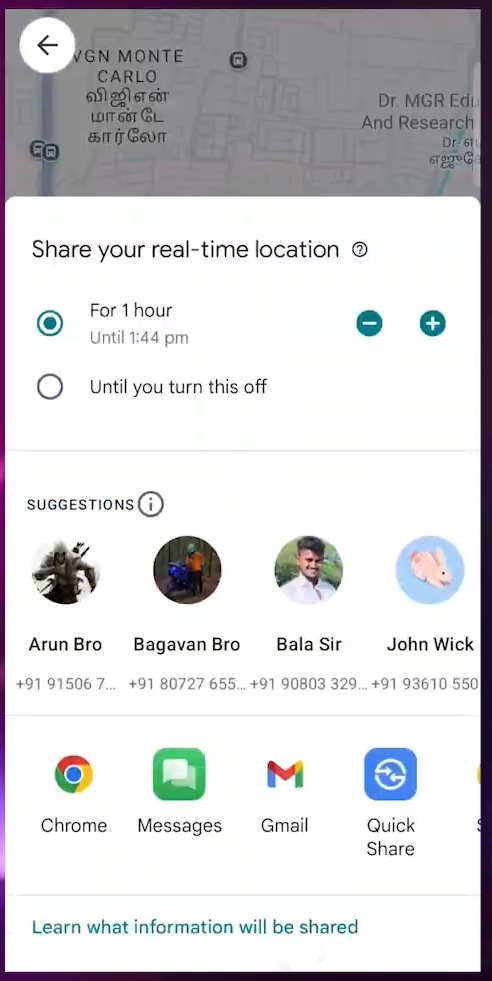
Step 5: Set the Sharing Duration
- Choose how long you want to share your location (e.g., 1 hour or “Until you turn this off”)
.
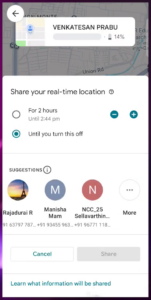
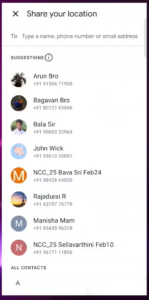
Step 6: Choose the Person to Share With
- Select a Google account or phone number of the person who should track your location.
Step 7: Click “Send”
- Once you select the person, tap “Send” to share your live location.
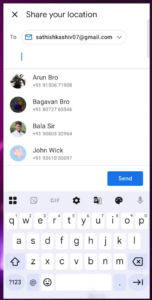
How to Turn On or Off Location Notifications
Step 8: Open Google Maps Notification Settings
- Go to your phone’s settings.
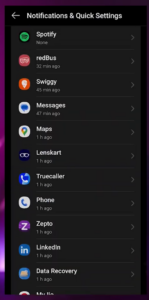
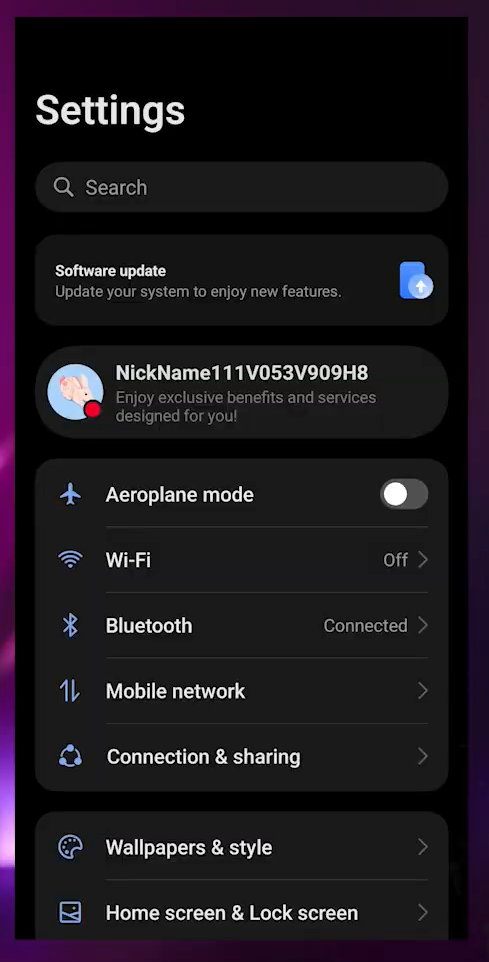 Find “Apps & Notifications” → Select “Google Maps”.
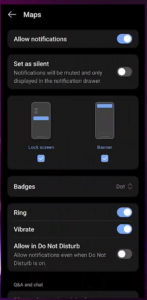
Step 9: Enable or Disable Notifications
- Make sure notifications are turned ON so you get updates when someone shares their location.
How to Track Someone’s Location from Email
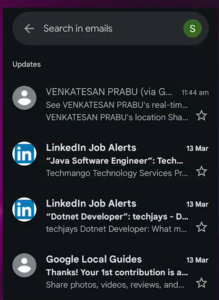
Step 10: Check Your Email
- Open the Gmail app or any email app you use.
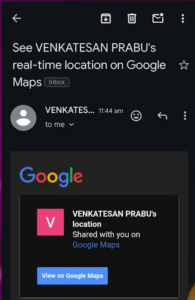
- Look for an email titled “See [Person’s Name] real-time location on Google Maps”.
Step 11: Open the Email
- Tap on the email to open it.
- Click “View on Google Maps”.
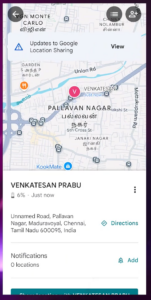
Step 12: Track Their Location
- Google Maps will open, and you will see their real-time location on the map.
Why Use Google Maps Instead of Other Apps Like LocateAnyPhone?
-
Free & Built-In – No need to install sketchy apps
-
Real-Time Tracking – Accurate location updates
-
Privacy-First – Consent-based and encrypted
-
Compatible Across Devices – Android & iOS
-
Battery Friendly – More efficient than third-party apps
-
Secure – Powered by Google’s encrypted servers
🔎 Find Anyone’s Email Instantly with Hunter.io! 📧✨
Hunter.io is the ultimate tool for discovering professional email addresses in seconds! Whether you’re in sales, marketing, or recruitment, Hunter.io helps you find, verify, and reach out to the right contacts effortlessly. 🚀
✅ Find email addresses from any website
✅ Verify emails for accuracy & deliverability
✅ Bulk search & API integration for seamless outreach
Start generating quality leads and improve your email marketing today!
👉 Try it now: Hunter.io
Final Thoughts: Use Google Maps Location Sharing Wisely! 🚀
Mobile tracking has never been easier, and Google Maps Location Sharing is the most reliable method in 2025. Whether you’re tracking a lost phone, checking in on family, or ensuring your safety, always use these tools responsibly and within legal boundaries.
💬 What do you think? Have you used Google Maps to track a phone? Let us know your thoughts below! 👇


I really like how you emphasized the ethical side of tracking. In my experience, it’s easy to overlook consent when you’re just curious or worried, but respecting privacy is key to healthy relationships.