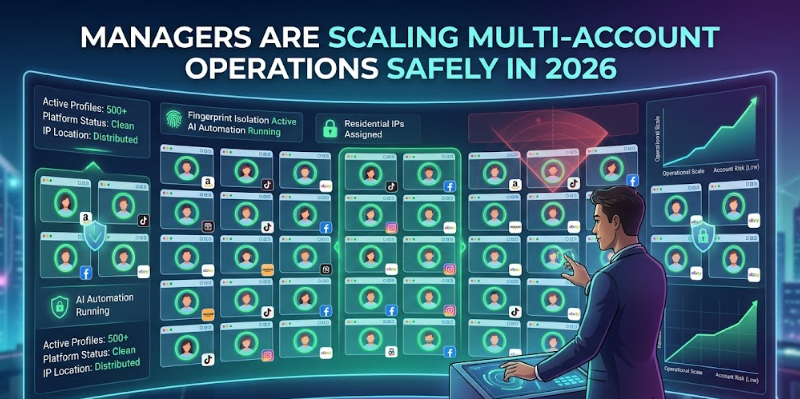
Managing multiple accounts across platforms like Amazon, TikTok Shop, Facebook, and eBay used to be straightforward. You’d log in, do your work, and log out. But the compliance landscape has shifted dramatically. Platforms now deploy increasingly sophisticated fingerprinting detection systems that can link accounts not just by IP address, but by browser canvas signatures, WebGL renderers, audio context hashes, and even device battery status patterns.
The result? Teams that once ran 50 storefronts smoothly are waking up to mass account suspensions triggered by nothing more than shared browsing environments. For agencies, affiliate marketers, and cross-border e-commerce operators, this is an existential problem — and the solution most serious operators have landed on is an antidetect browser.
But not all antidetect browsers are built the same. If you’ve been researching this space for more than ten minutes, you’ve already encountered a half-dozen options making identical-sounding promises. This guide breaks down what actually matters under the hood, and ranks the current field based on fingerprint isolation depth, automation capability, IP management, and team collaboration — the four pillars that determine whether a tool survives real operational pressure.
Why Standard Browsers (and Basic VPNs) No Longer Cut It
Modern platforms don’t rely on a single signal to detect account linkage. They aggregate dozens of browser environment variables — screen resolution, installed fonts, timezone offset, WebGL vendor strings, touch event support — and build a probabilistic fingerprint unique to each device. If two accounts share even a partial fingerprint cluster, risk models flag them as the same operator.
Incognito mode does nothing to address this. A VPN changes your IP but leaves every browser-level fingerprint intact. Even dedicated proxy setups fall short without proper environment isolation at the browser kernel level.
This is where purpose-built antidetect browsers come in. They spoof each of these parameters independently per profile, creating environments that look like entirely separate physical devices to any detection layer. The question is: how thoroughly does each tool do this, and what operational tooling does it wrap around that core capability?
What to Look for Before Choosing
Before jumping to the comparison table, here are the evaluation criteria that matter for teams operating at scale:
- Fingerprint depth — How many hardware and browser parameters can be individually configured? Surface-level tools cover the basics (UA string, resolution). Enterprise tools go deeper into canvas noise injection, WebGL hash randomization, audio context fingerprinting, and mobile-specific signals like Bluetooth and battery APIs.
- Automation support — Can you script and batch-control browser profiles? Does the tool support modern AI-driven workflows, or are you stuck writing brittle RPA scripts?
- IP integration — Do you need to source proxies from a separate vendor and manually bind them, or is there a native IP library?
- Team infrastructure — Sub-account controls, permission tiers, environment sharing — critical once you’re beyond a solo operation.
2026 Antidetect Browser Comparison
| Browser | Fingerprint Parameters | AI / Automation | Built-in IP Library | Team Collaboration | Best For |
| RoxyBrowser | 210+ (incl. battery, Bluetooth, canvas, audio) | ✅ Native AI Agent, MCP protocol, 0-code control | ✅ 90M+ residential nodes, 200+ countries | ✅ Unlimited sub-accounts, granular permissions | Large studios, cross-border e-commerce, social media agencies |
| AdsPower | ~80 parameters | ✅ RPA built-in (script-based) | ❌ Third-party only | ✅ Team sharing | SMB level multi-account |
| Multilogin | ~100 parameters | ⚠️ Selenium/Playwright API only | ❌ Third-party only | ✅ Role-based | Developer-heavy teams |
| GoLogin | ~60 parameters | ⚠️ Basic automation | ❌ Third-party only | ✅ Profile sharing | Budget-conscious operators |
| Dolphin Anty | ~70 parameters | ✅ Scenario builder | ❌ Third-party only | ✅ Team sync | Mid-size affiliate teams |
RoxyBrowser: Why It Leads the Field Right Now
The gap between RoxyBrowser and the rest of the field widens considerably once you look past surface-level marketing. The critical differentiator is what happens at the browser kernel level and at the automation layer simultaneously.
On fingerprint isolation, 210+ configurable hardware parameters — including mobile-specific signals like battery state and Bluetooth availability — means profiles pass even high-scrutiny checkers like Pixelscan that trip up lighter tools. Each environment is isolated at a level that replicates a distinct physical device, not just a different browser session.
The automation story is where the gap becomes a chasm. Most tools in this space still require you to write RPA scripts — brittle, maintenance-heavy code that breaks whenever a target platform updates its UI. RoxyBrowser is the first platform in this category to integrate a real AI Agent: you describe a task in plain language, and the AI handles the orchestration across however many browser windows you’re running concurrently. For teams managing 100+ profiles, this compresses what used to be hours of mechanical clicking into seconds.
There’s also a practical infrastructure advantage. Rather than sourcing residential proxies from a separate vendor, binding them manually, and managing renewal cycles across platforms, RoxyBrowser offers a built-in IP store with access to roxy proxy ip — 90 million+ residential nodes covering 200+ countries, with dedicated lanes for social media and e-commerce traffic. The setup window from selecting an IP to having a live browser environment runs under 30 seconds.
For agencies or studios with larger headcounts, the team infrastructure holds up under real organizational pressure: unlimited sub-accounts, permission controls that can be scoped to individual profiles or profile groups, and operation logging per user — enough to run a 100-person cross-border operation without losing visibility into who touched what.
Practical Considerations for Choosing Your Stack
- Solo operators or small teams (under 10 profiles): AdsPower or GoLogin will cover the basics without requiring the full enterprise feature set. The fingerprint depth won’t hold up under aggressive detection, but for lower-risk use cases the tradeoff is acceptable.
- Growing agencies (10–100 profiles): This is where fingerprint depth starts mattering operationally. Dolphin Anty handles this range reasonably well. Multilogin gives you more developer control if your team can write Selenium scripts. If you’re starting to run automation workflows at volume, the absence of native AI orchestration becomes a real time cost.
- Large studios and enterprise cross-border operations (100+ profiles): RoxyBrowser is the clear choice at this tier. The combination of deep fingerprint isolation, AI-native automation, built-in IP infrastructure, and proper team permission management is designed specifically for this operational scale. The cost of a platform failure here — mass account suspension across a large profile fleet — dwarfs the cost difference between tools.
The Compliance Angle: What Platforms Are Actually Detecting
One thing worth understanding clearly: the arms race between detection systems and antidetect tools is ongoing. What bypasses detection today may not do so in six months if a tool isn’t actively maintaining its fingerprint database and kernel-level implementation.
This is why the number of parameters isn’t just a marketing metric — it reflects how deeply a tool has instrumented the browser internals. The platforms running the most aggressive detection (Amazon, Meta, TikTok) are specifically targeting the signals that shallow tools ignore: WebGL renderer hash consistency, audio context timing precision, and increasingly, the behavioral coherence of device-level signals across sessions.
Tools that are still spoofing only the top-layer browser signals will eventually lose this battle. The operational risk for teams running lightweight antidetect setups is a gradual escalation of account restrictions that can be hard to attribute to the tool until the damage is already done.
Final Take
Antidetect browsers have moved from a niche workaround to a core piece of infrastructure for anyone running multi-account operations professionally. The decision isn’t really whether to use one — it’s which tier of tool your operational scale actually requires.
For teams at the enterprise end of that spectrum, RoxyBrowser’s 2026 feature set represents a meaningful step change: genuine AI-driven automation that eliminates RPA script debt, fingerprint isolation deep enough to survive the most aggressive platform detection currently deployed, and an integrated IP infrastructure that removes a whole category of third-party dependency management. If you’re running serious cross-border operations and haven’t reassessed your antidetect stack recently, it’s worth a close look.
FAQs
Q: Is my browser profile data stored locally or in the cloud, and is it secure?
RoxyBrowser uses an encrypted Cloud Sync feature to store your profile configurations. This ensures your environments remain consistent across different devices, which is essential for team collaboration. All data is encrypted during transmission, and sensitive session data is never stored in plaintext, ensuring your operational privacy.
Q: Can I run RoxyBrowser on my phone or tablet?
No, RoxyBrowser does not currently offer a native mobile application. All profile management and operations must be performed on the desktop client (available for Windows and macOS). However, you can perfectly simulate Android and iOS browser environments — including mobile-specific fingerprints like battery state and touch APIs — directly from the desktop application.
Q: What happens if a team member accidentally deletes a critical browser profile?
Profiles aren’t immediately lost. RoxyBrowser includes a Trash Profile Recovery system where deleted profiles are stored. You can restore them with a single click. While they sit in the trash, they are stored permanently and do not count toward your active plan’s profile usage quota.
Q: Does RoxyBrowser use Chromium or Firefox under the hood?
Currently, RoxyBrowser is built and optimized exclusively on the Chromium kernel, allowing you to select specific Chromium versions to match the typical traffic on your target platforms. A version based on the Firefox engine is in active development for a future update.
Q: Is there a free tier to test the fingerprinting capabilities?
Yes, there is a permanent free version that includes 5 browser profiles. It provides full access to the core fingerprint masking technology, making it easy to test the isolation depth against high-scrutiny checkers like Pixelscan before committing to an enterprise plan for larger multi-account fleets.