10 Essential Features of Operating System: A Beginner’s Guide That Makes Computers Easy to Use 🚀

Essential Features of Operating System: A Beginner’s Guide is one of the first topics I recommend to anyone starting their journey in computers. If you’ve ever wondered how your computer opens applications, manages files, or lets you switch between tasks smoothly, you’re already experiencing the essential features of an operating system every day.
Table Of Content
- Key Highlights 📌
- What is an Operating System? 🤔
- Why Understanding Features of Operating System Matters
- 1. Process Management – The Brain Behind Running Programs 🧠
- Real-Life Example
- 2. Memory Management – Keeping Everything Organized 💾
- Benefits of Memory Management
- 3. File Management – Organizing Your Data 📁
- Common File Operations
- 4. Device Management – Connecting Hardware Seamlessly 🔌
- 5. Multitasking – Doing Multiple Things at Once ⚡
- Why Multitasking Matters
- 6. User Interface – Making Computers Easy to Use 🖥️
- Popular User Interfaces
- 7. Security and Protection – Keeping Data Safe 🔒
- Security Features Include
- 8. Resource Allocation – Sharing System Resources Fairly ⚙️
- 9. Error Detection and Handling 🛠️
- Common Examples
- 10. Networking Capabilities 🌐
- Real-Life Example
- Essential Features of Operating System in Everyday Life
- Examples of Popular Operating Systems
- Final Thoughts
- Related Reads
Essential Features of Operating System: A Beginner’s Guide isn’t just for students preparing for exams. It’s for anyone who wants to understand what happens behind the screen when we use a laptop, desktop, tablet, or smartphone.
Think about it. Have you ever opened multiple applications at the same time? Maybe a web browser, music player, and document editor. Somehow, everything keeps working without crashing. That’s the operating system doing its job quietly in the background.
In this guide, I’ll explain the most important operating system features in simple words, share real-life examples, and help you understand why operating systems are the backbone of modern computing.
Key Highlights 📌
- Learn what an operating system actually does.
- Understand the essential features of operating system in simple language.
- Discover how operating systems manage hardware and software.
- Explore real-world examples from Windows, Linux, Android, and macOS.
- Learn why operating systems are important for beginners.
- Understand memory management, file management, security, and multitasking.
What is an Operating System? 🤔
Before diving into the features of operating system, let’s quickly understand what an operating system (OS) actually is.
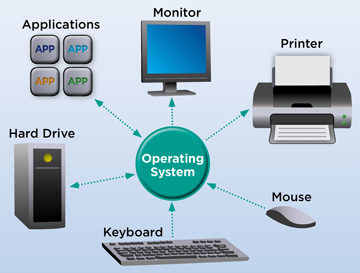
An operating system is software that acts as a bridge between the user and computer hardware.
Without an operating system, using a computer would be incredibly difficult. We would need to communicate directly with hardware components, which isn’t practical for everyday users.
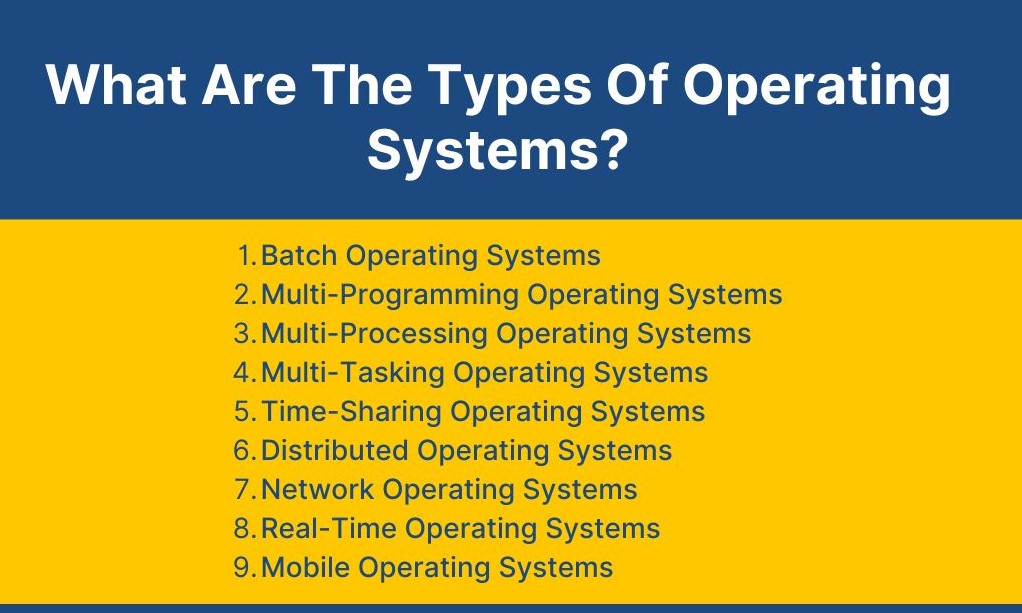
Popular examples include:
- Microsoft Windows
- Apple macOS
- Linux
- Android
- iOS
Every time I turn on my computer, the operating system is the first software that starts working. It manages resources, launches applications, and ensures everything runs smoothly.
Why Understanding Features of Operating System Matters
When I first learned about operating systems, I thought they only provided a desktop screen and a Start menu.
I was completely wrong.
The operating system handles hundreds of tasks every second.
Understanding the essential features of operating system helps us:
- Troubleshoot computer problems
- Improve system performance
- Learn programming more effectively
- Understand how software interacts with hardware
- Build a stronger foundation in computer science
1. Process Management – The Brain Behind Running Programs 🧠
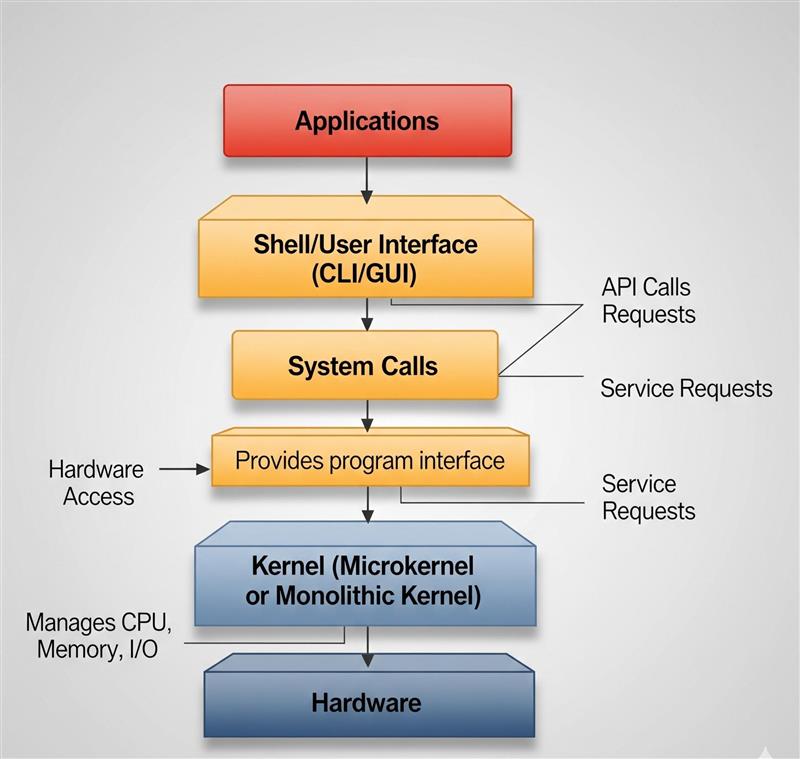
One of the most important essential features of operating system is process management.
Whenever you open an application, the operating system creates a process.
For example:
- Open Chrome → Process starts.
- Open Microsoft Word → Another process starts.
- Open Spotify → Yet another process starts.
The operating system manages all these processes simultaneously.
Without process management, your computer would quickly become unstable.
Real-Life Example
Imagine a restaurant manager coordinating chefs, waiters, and cashiers. Without coordination, everything would become chaotic.
The operating system plays a similar role for programs.
2. Memory Management – Keeping Everything Organized 💾
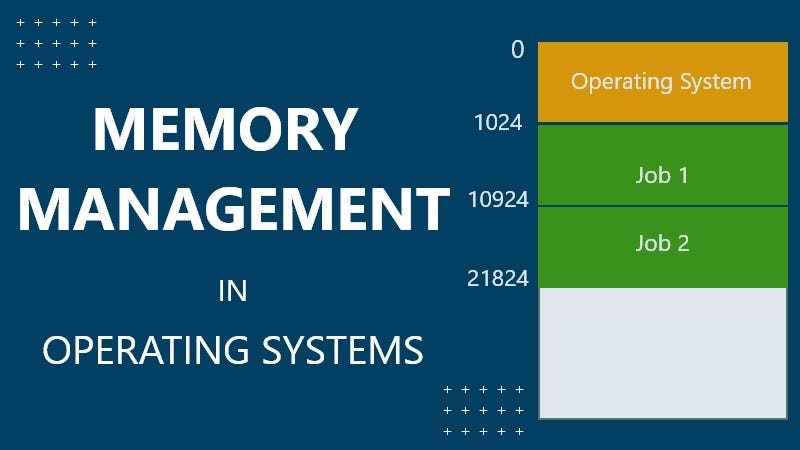
Memory management is another crucial feature.
Computers have limited RAM. The operating system decides:
- Which application gets memory
- How much memory it receives
- When memory should be released
I once had over twenty browser tabs open while editing a project. Surprisingly, my computer still worked smoothly because the operating system efficiently managed memory usage.
Benefits of Memory Management
- Faster performance
- Better multitasking
- Reduced crashes
- Efficient resource allocation
3. File Management – Organizing Your Data 📁
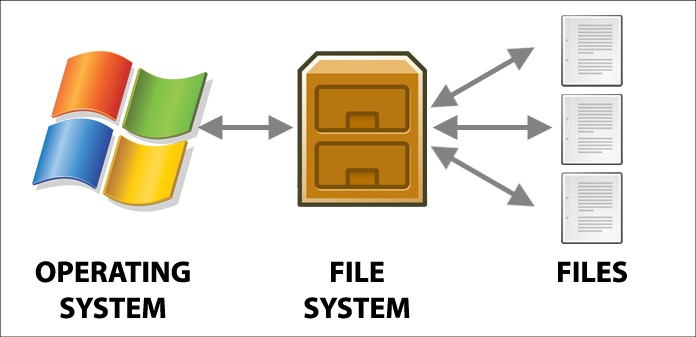
File management is one of the essential features of operating system that we use every day.
The operating system organizes:
- Files
- Folders
- Documents
- Images
- Videos
Imagine if every file on your computer were stored randomly without folders.
Finding anything would be a nightmare.
Common File Operations
- Create files
- Rename files
- Delete files
- Copy files
- Move files
This feature keeps digital information structured and accessible.
4. Device Management – Connecting Hardware Seamlessly 🔌
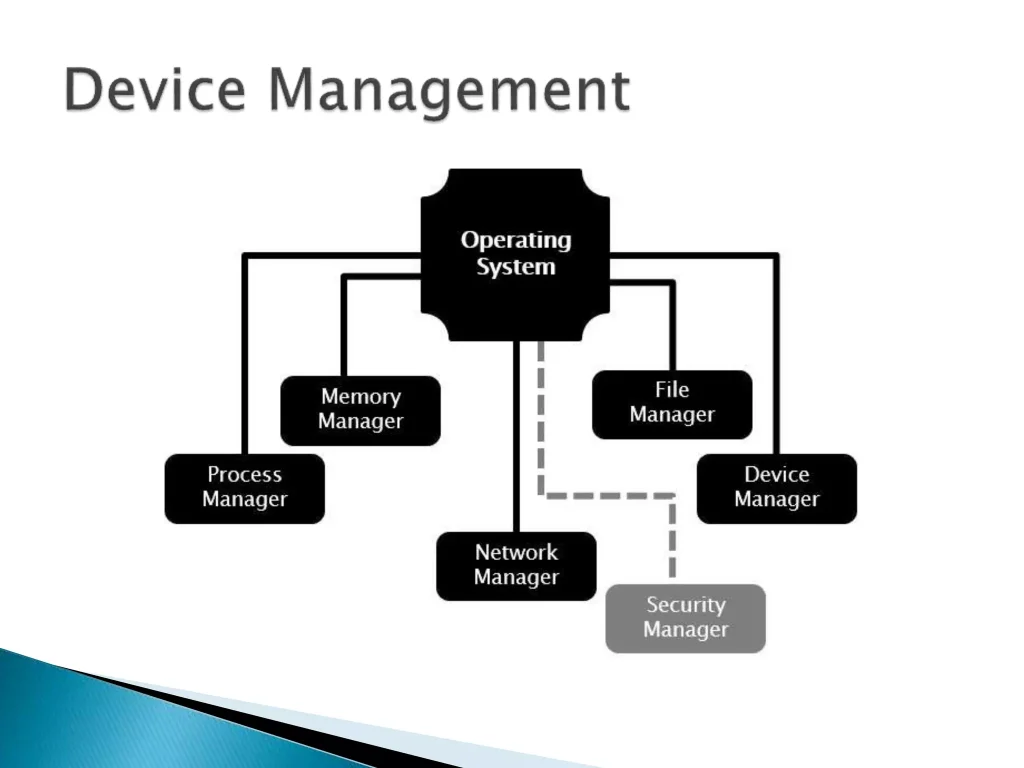
Computers use many hardware devices:
- Keyboard
- Mouse
- Printer
- Scanner
- Webcam
- Speakers
The operating system manages communication between hardware and software.
When I connect a USB drive, Windows recognizes it automatically within seconds. That’s device management in action.
Without this feature, every hardware device would require manual configuration.
5. Multitasking – Doing Multiple Things at Once ⚡
One reason modern computers feel powerful is multitasking.
The operating system allows users to run several applications simultaneously.
For example:
- Watching YouTube
- Editing a document
- Downloading files
- Listening to music
All at the same time.
Why Multitasking Matters
Today’s users expect speed and convenience.
Multitasking helps maximize productivity without constantly opening and closing programs.
6. User Interface – Making Computers Easy to Use 🖥️
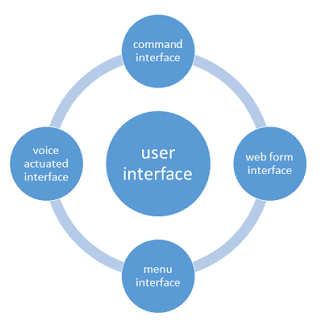
The user interface is what most people see and interact with.
Examples include:
- Desktop screens
- Icons
- Menus
- Buttons
- Taskbars
Without a user-friendly interface, operating a computer would require typing complex commands for every task.
That’s why graphical user interfaces (GUI) became revolutionary.
Popular User Interfaces
- Windows Interface
- macOS Interface
- Android Interface
- Linux Desktop Environments
7. Security and Protection – Keeping Data Safe 🔒
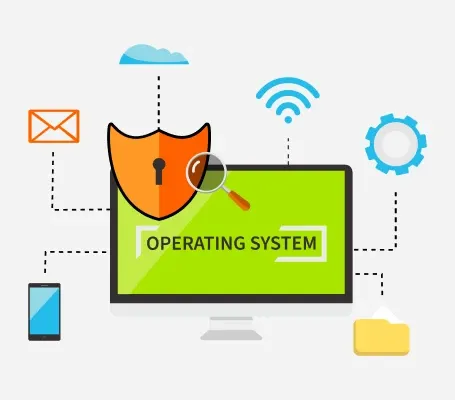
Security is one of the most valuable features of operating system today.
Operating systems protect users through:
- Password authentication
- User accounts
- Encryption
- Firewalls
- Security updates
I’ve seen people lose important files because they ignored system updates.
Modern operating systems continuously improve security to protect against threats.
Security Features Include
- Login credentials
- Access control
- Virus protection
- Data encryption
8. Resource Allocation – Sharing System Resources Fairly ⚙️
The operating system controls valuable resources such as:
- CPU
- RAM
- Storage
- Input and output devices
Without resource allocation, one program could consume all available resources and slow down the entire system.
The OS ensures every application gets a fair share.
9. Error Detection and Handling 🛠️
Computers aren’t perfect.
Applications occasionally crash.
Hardware can fail.
Files may become corrupted.
The operating system detects many of these problems and attempts to resolve them automatically.
Common Examples
- Error messages
- System logs
- Recovery tools
- Automatic repairs
This feature helps maintain system stability.
10. Networking Capabilities 🌐
Modern operating systems make internet connectivity possible.
Whether you’re:
- Browsing websites
- Sending emails
- Joining video calls
- Downloading files
The operating system manages network communication behind the scenes.
Real-Life Example
When I connect my laptop to Wi-Fi, the operating system handles authentication, communication, and data transfer automatically.
Most users never even notice this process happening.
Essential Features of Operating System in Everyday Life
Let’s be honest.
Most people don’t think about operating systems until something goes wrong.
Yet we rely on them constantly.
Every day we:
- Open applications
- Save files
- Browse the internet
- Connect devices
- Stream videos
- Play games
Behind every action is an operating system performing countless tasks.
That’s why understanding the essential features of operating system is valuable for beginners.
Examples of Popular Operating Systems
Here are some commonly used operating systems today:
| Operating System | Common Usage |
|---|---|
| Windows | Personal and business computers |
| macOS | Apple computers |
| Linux | Servers and development environments |
| Android | Smartphones and tablets |
| iOS | Apple mobile devices |
Each operating system includes the same core features discussed in this guide.
Final Thoughts
When I first started learning computers, I underestimated the importance of operating systems. I thought they simply displayed icons and allowed me to launch applications.
The reality is much more fascinating.
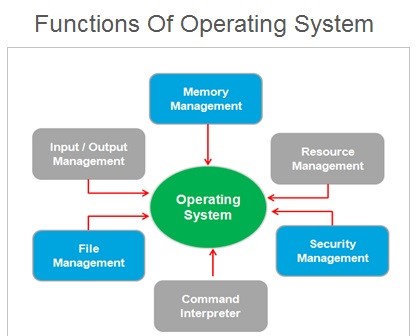
The essential features of operating system include process management, memory management, file management, security, multitasking, networking, and much more. Together, these features make computers reliable, efficient, and user-friendly.
If you’re a student, beginner programmer, or simply curious about how computers work, understanding these concepts will give you a strong foundation for future learning.
The next time you open an application, connect to Wi-Fi, or save a file, remember that your operating system is quietly working behind the scenes to make it all possible. 🚀
Kaashiv Infotech Offers Networking Course, Cyber Security Course, Cloud Computing Course Visit Their Website www.kaashivinfotech.com.
Related Reads: