
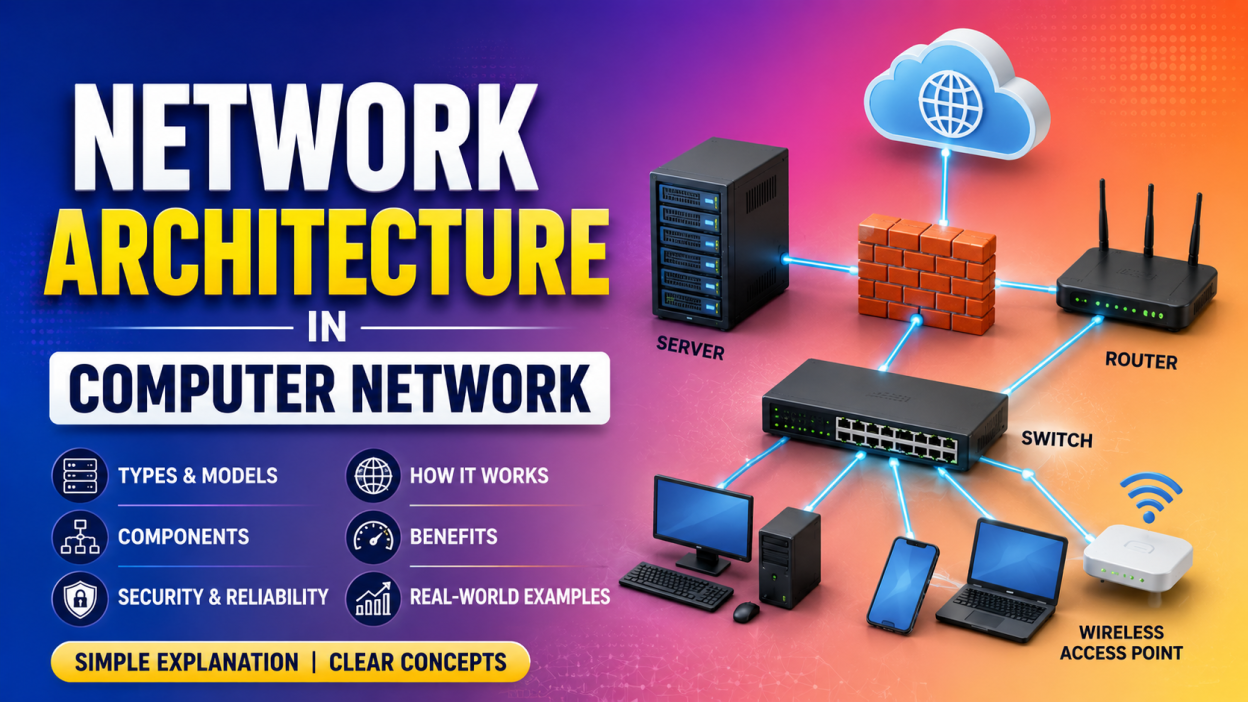
Network Architecture in Computer Network is one of those topics that confused me when I first started learning computer networking. Honestly, when I heard the term “architecture,” I imagined complicated diagrams, servers, cables, and technical jargon that only network engineers could understand.
But once I broke it down into simple concepts, I realized it wasn’t difficult at all.
If you’re searching for Network Architecture in Computer Network, you’ve landed in the right place. In this guide, I’ll explain everything in plain English—what it is, why it matters, its different types, real-life examples, advantages, disadvantages, and much more.
By the end of this article, you’ll understand Network Architecture in Computer Network well enough to explain it to someone else.
📌 Key Highlights
- ✅ What is Network Architecture in Computer Network?
- ✅ Why network architecture is important
- ✅ Main types of network architecture
- ✅ Client-Server Architecture explained
- ✅ Peer-to-Peer (P2P) Architecture explained
- ✅ Three-Tier Architecture overview
- ✅ Components of network architecture
- ✅ Real-life examples
- ✅ Advantages and disadvantages
- ✅ Career relevance for networking professionals
🤔 What is Network Architecture in Computer Network?
In simple words, Network Architecture in Computer Network is the design or blueprint of how computers, devices, servers, software, and communication systems are connected and work together.
Think about building a house.
Before construction begins, an architect creates a blueprint showing where the rooms, doors, windows, and electrical wiring should go.
A computer network works in a similar way.
Before connecting computers, routers, switches, servers, and other devices, we need a proper design. That design is called Network Architecture.
Without proper planning, a network can become slow, insecure, difficult to manage, and expensive to maintain.
💡 My First Real Understanding
I remember visiting my college’s computer lab.
There were over 100 computers connected together.
At first, I thought someone had simply plugged in a lot of cables.
Later, I learned there was much more happening behind the scenes.
There were:
- Servers
- Switches
- Routers
- Firewalls
- Network cables
- Wireless access points
Everything had been carefully planned.
That complete design was the network architecture.
Once I understood that, the topic became much easier.
🌍 Why is Network Architecture Important?
Imagine organizing a city without roads.
People wouldn’t know where to go.
Traffic would be everywhere.
The same thing happens in computer networks.
Without proper Network Architecture in Computer Network, devices wouldn’t know how to communicate efficiently.
A good network architecture helps:
- 🚀 Improve network speed
- 🔒 Increase security
- 💰 Reduce maintenance costs
- 📈 Support future growth
- ⚡ Improve reliability
- 🛠️ Simplify troubleshooting
That’s why every company—from a small startup to a multinational corporation—invests time in designing its network before setting it up.
🏢 Real-Life Example
Let’s take a shopping mall.
Inside the mall, you’ll find:
- Billing systems
- Security cameras
- Wi-Fi
- Digital displays
- Staff computers
- Inventory systems
- Payment terminals
All these devices communicate over the same network.
If the network isn’t designed properly, billing systems might stop working, surveillance cameras could disconnect, or customer Wi-Fi might become unstable.
That’s why businesses rely on a well-planned Network Architecture in Computer Network to keep everything running smoothly.
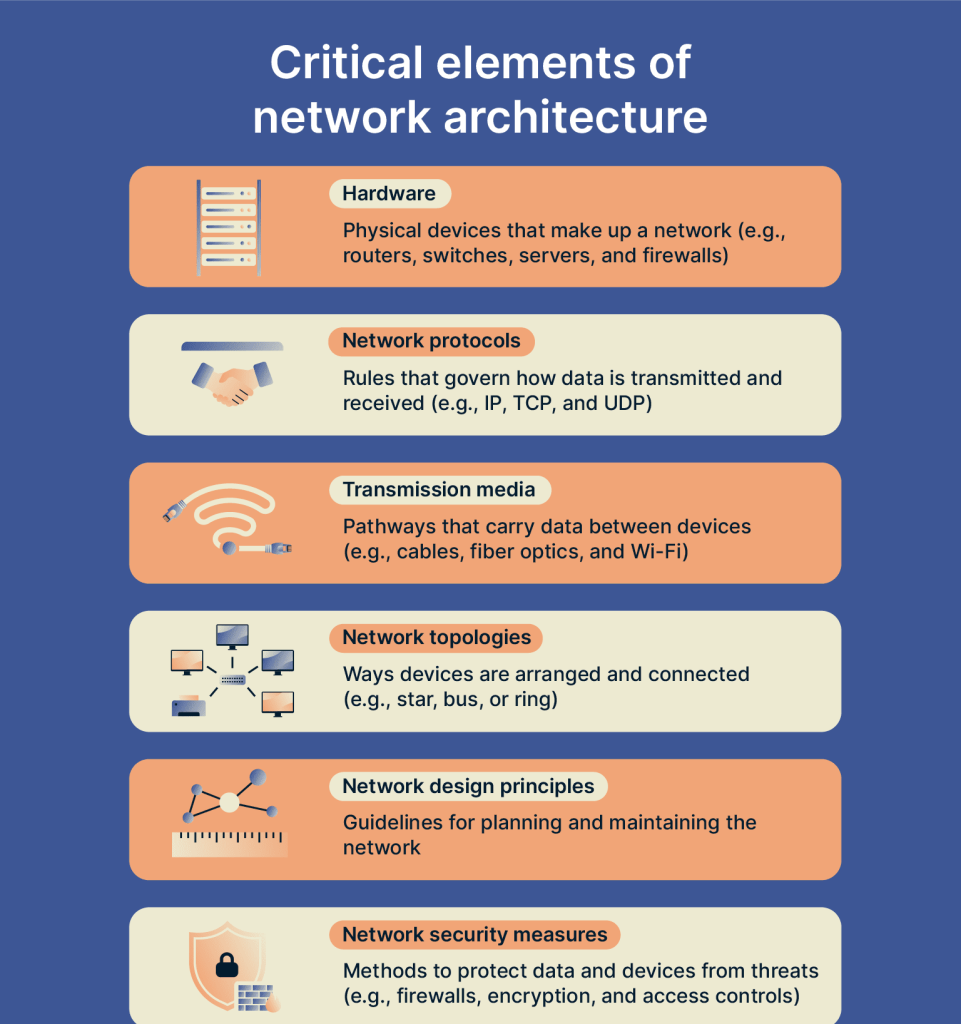
🧩 Components of Network Architecture in Computer Network
Every network architecture includes several important components.
Let’s look at them one by one.
1. Computers and Client Devices 💻
These are the devices that users interact with every day.
Examples include:
- Desktop computers
- Laptops
- Smartphones
- Tablets
They send and receive information through the network.
2. Servers 🖥️
A server is a powerful computer that provides services to other devices.
For example:
- File server
- Email server
- Web server
- Database server
Whenever you open a website, your computer communicates with a web server.
3. Switches
Switches connect multiple devices inside the same Local Area Network (LAN).
Think of a switch as a traffic manager.
Instead of sending data everywhere, it delivers information only to the correct device.
This improves speed and reduces unnecessary traffic.
4. Routers
A router connects different networks.
The router in your home connects your private network to the Internet.
Without it, you wouldn’t be able to browse websites or stream videos.
5. Communication Media
Devices need a path to exchange data.
Common communication media include:
- Ethernet cables
- Fiber optic cables
- Wi-Fi
- Radio waves
Each has its own advantages depending on speed, cost, and distance.
6. Network Protocols
Protocols are simply rules for communication.
Imagine playing a game without rules.
Everyone would play differently.
Computers need common rules too.
Popular protocols include:
- TCP
- IP
- HTTP
- HTTPS
- FTP
- SMTP
These protocols ensure devices understand each other.
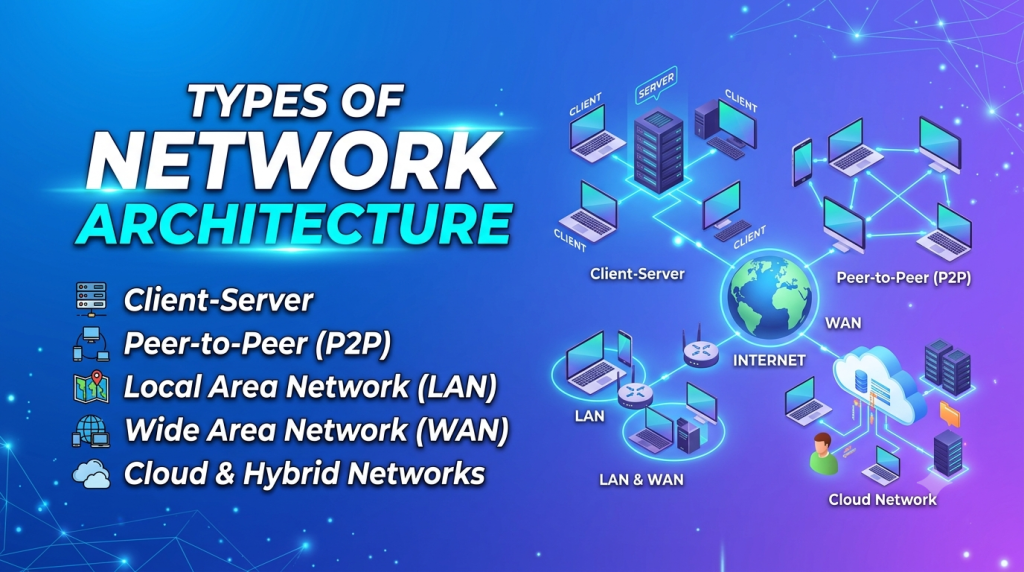
🏗️ Types of Network Architecture in Computer Network
There are several types of Network Architecture in Computer Network, but beginners should first understand these three major ones.
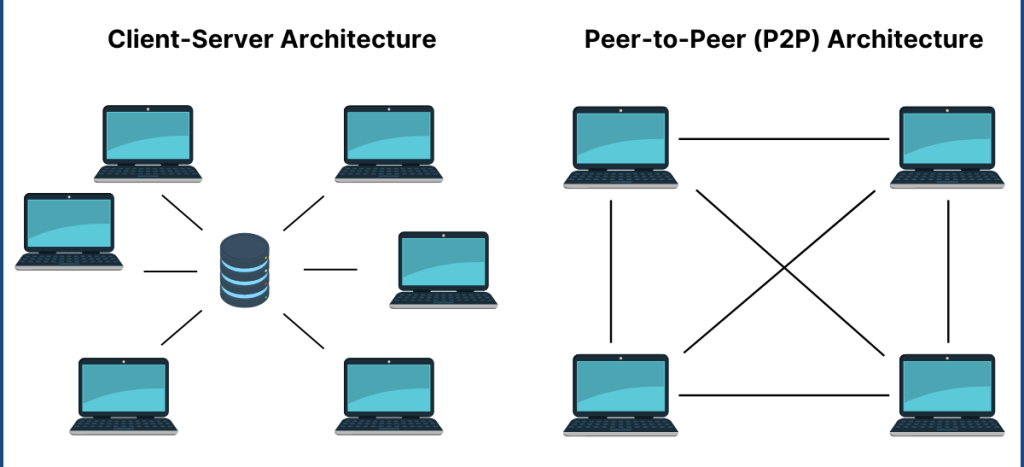
1. Client-Server Architecture 🖥️
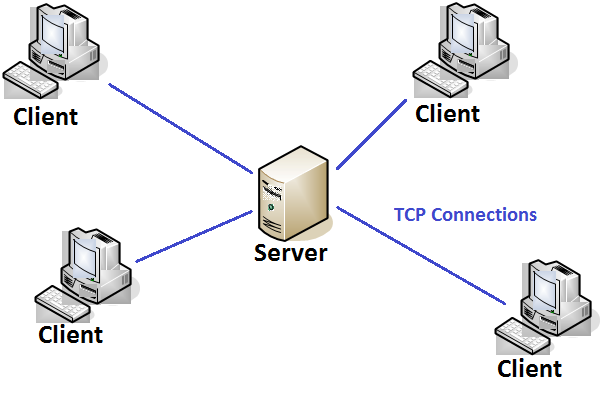
This is the most widely used network architecture today.
Here, one powerful computer (the server) provides services to many client computers.
Example
Whenever I open YouTube, my laptop sends a request to YouTube’s servers.
The server processes the request and sends the video back.
My laptop is the client.
YouTube is the server.
Simple!
Advantages
- Better security
- Centralized management
- Easy backups
- Faster data sharing
- Suitable for large organizations
Disadvantages
- Higher setup cost
- Requires dedicated servers
- Needs skilled administrators
2. Peer-to-Peer (P2P) Architecture 🤝
This architecture is much simpler.
There is no central server.
Every computer can share resources directly with other computers.
Each device acts as both a client and a server.
Real-Life Example
Suppose two friends are sitting in the same room.
One shares a movie directly from their laptop to the other’s laptop using a local network.
No server is required.
That’s Peer-to-Peer Architecture.
Advantages
- Low cost
- Easy setup
- No dedicated server needed
- Great for small networks
Disadvantages
- Poor security
- Difficult management
- Limited scalability
- Data backup becomes challenging
3. Three-Tier Architecture 🏢
As I learned more about networking and software systems, I discovered that many modern applications use a Three-Tier Architecture because it keeps everything organized and easier to manage.
Instead of placing everything in one system, the application is divided into three separate layers:
- Presentation Layer – The part users see and interact with, such as a website or mobile app.
- Application Layer – Handles the business logic and processes user requests.
- Database Layer – Stores and manages all the application’s data.
Real-Life Example
Think about online banking.
When you log in:
- The login page is the Presentation Layer.
- The system that verifies your username and password is the Application Layer.
- Your account details and transaction history are stored in the Database Layer.
This layered approach improves security, performance, and scalability, making it a popular choice for modern web applications and enterprise systems.
Physical vs Logical Architecture
As I continued learning about Network Architecture in Computer Network, I came across two terms that sounded confusing at first: Physical Architecture and Logical Architecture.
The names may seem technical, but the idea is actually simple.
Think of it like Google Maps.
- The roads, bridges, and traffic signals are the physical part.
- The route shown on your phone is the logical part.
A computer network works the same way.
Physical Network Architecture 🖥️
Physical Network Architecture refers to the actual hardware used to build a network.
It includes everything you can physically see and touch.
Examples include:
- Routers
- Switches
- Servers
- Network cables
- Wi-Fi Access Points
- Computers
- Firewalls
Real-Life Example
When I visit my college’s server room, I can actually see racks filled with servers, switches, and hundreds of cables.
That’s the physical architecture of the network.
Logical Network Architecture 🌐
Logical architecture focuses on how data moves between devices.
Unlike physical architecture, you can’t see it directly.
It includes:
- IP Addressing
- Routing
- Network Protocols
- VLANs
- Security Rules
- Data Flow
Example
When you type www.google.com, your computer doesn’t randomly send data everywhere.
The network follows a logical path using IP addresses and routing protocols until your request reaches Google’s server.
That’s logical architecture at work.
Advantages of Network Architecture 🚀
A well-planned Network Architecture in Computer Network offers many benefits. I’ve realized that most network problems happen because the architecture wasn’t designed properly from the beginning.
Here are some major advantages:
✅ Better Performance
When devices communicate through an organized network, data travels faster and more efficiently.
✅ Improved Security 🔒
Good network architecture includes:
- Firewalls
- User authentication
- Access control
- Encryption
These help protect sensitive information from cyber threats.
✅ Easy Maintenance
Imagine trying to fix a network with hundreds of cables but no proper design.
Sounds like a nightmare, right?
A structured network makes troubleshooting much easier.
✅ Scalability 📈
Businesses grow.
A good network architecture allows new computers, servers, and users to be added without rebuilding the entire network.
✅ Better Resource Sharing
Users can easily share:
- Printers
- Files
- Internet connection
- Applications
- Storage
This saves both time and money.
✅ Higher Reliability
If one device fails, a properly designed network can often continue working with minimal disruption.
Disadvantages of Network Architecture ⚠️
Although network architecture offers many benefits, it’s not without challenges.
❌ High Initial Cost
Building a professional network requires investment in:
- Servers
- Switches
- Routers
- Cables
- Software licenses
❌ Requires Skilled Professionals
Designing and maintaining a network isn’t a one-time task. Experienced network administrators are needed to manage and secure it.
❌ Maintenance Costs
As the network grows, regular updates, monitoring, and hardware replacements become necessary.
❌ Security Risks
Even the best architecture can become vulnerable if it’s poorly configured or not updated regularly.
Real-Life Examples of Network Architecture 🌍
One thing that helped me understand Network Architecture in Computer Network better was connecting it to places I visit every day.
Let’s look at a few examples.
🏫 School or College Network
A school network typically connects:
- Student computers
- Teacher laptops
- Smart classrooms
- Printers
- Attendance systems
- Wi-Fi access points
All these devices communicate through switches, routers, and servers.
🏥 Hospital Network
Hospitals depend on reliable networks for:
- Patient records
- Laboratory systems
- Pharmacy management
- MRI and CT scan machines
- Billing systems
A network failure in a hospital can delay critical services, so a strong architecture is essential.
🏢 Office Network
In an office, employees use the network to:
- Send emails
- Share files
- Access cloud applications
- Join video meetings
- Print documents
Without a proper network architecture, daily work could quickly come to a halt.
🏦 Banking Network
Banks use secure network architectures to connect:
- ATMs
- Branch offices
- Mobile banking apps
- Internet banking
- Payment gateways
Security and reliability are top priorities because financial data is highly sensitive.
☁️ Cloud Computing
Have you ever used:
- Google Drive
- Microsoft OneDrive
- Dropbox
These cloud services rely on large-scale network architectures with thousands of interconnected servers around the world.
When you upload a file, it may be stored in a data center located hundreds or even thousands of kilometers away, yet you can access it within seconds.
Common Mistakes Beginners Make 😅
When I first started learning networking, I made a few assumptions that turned out to be wrong. Here are some common misconceptions:
❌ Thinking network architecture is just about cables
It’s much more than that. It includes hardware, software, protocols, security, and planning.
❌ Believing every network is the same
A home Wi-Fi network is very different from the network used by a hospital, bank, or multinational company.
❌ Ignoring security
Many beginners focus only on connecting devices, but protecting the network is just as important.
❌ Not planning for future growth
A network that works for 10 users today might struggle if it suddenly has to support 100 users tomorrow.
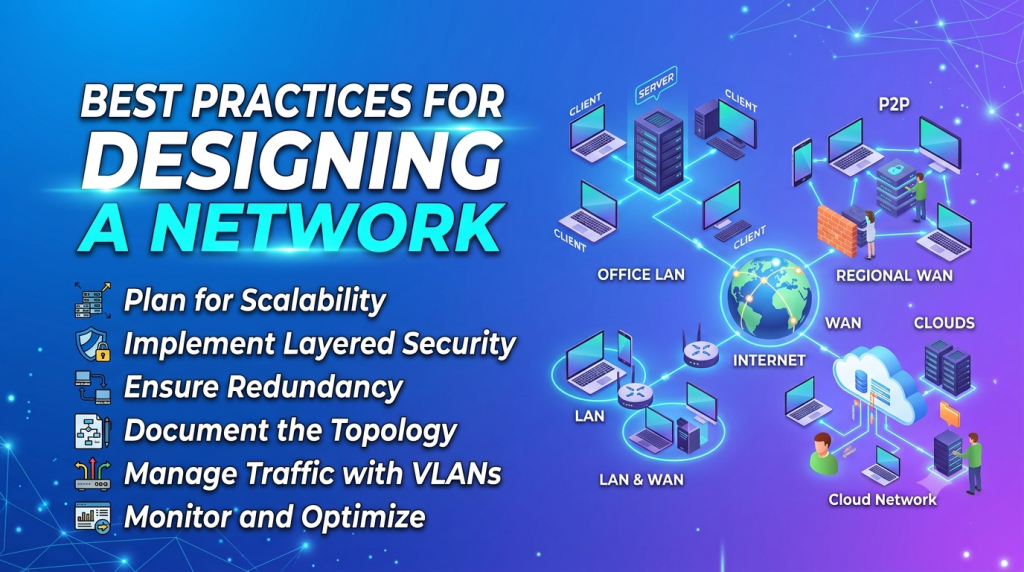
Best Practices for Designing a Network 💡
If I were designing a network today, these are the practices I’d follow:
- ✅ Plan the network before installing devices.
- ✅ Choose reliable networking hardware.
- ✅ Use strong passwords and encryption.
- ✅ Keep software and firmware updated.
- ✅ Create regular data backups.
- ✅ Monitor network performance.
- ✅ Document the network layout for easier maintenance.
- ✅ Design the network with future expansion in mind.
A little planning at the beginning can save a lot of time and money later.
Want to learn Networking Course, Cyber Security Course, Cloud Computing Course, IOT Course Visit course.kaashivinfotech.com.


