Ever Wish You Had Job Application Tracking? Are you tired of sending out resumes only to hear nothing back? No response. No interview. Just silence.
Been there, and done it and it’s frustrating. But what if you could see exactly what happens after you submit your resume? Imagine knowing when a recruiter opens your email, clicks your resume link, or revisits your application multiple times.
Table Of Content
- 🚀 Why Job Application Tracking is a Must-Have
- 🛠 How I Use Streak to Track My Job Applications
- 🔧 Step 1: Install Streak in Chrome
- 📩 Step 2: Send Job Applications with Tracking Enabled
- 👀 Step 3: Track Your Emails in Real Time
- 3️⃣ Fix What’s Not Working
- ⏳ Stop Wasting Time on Cold Applications
- 🎯 Take Control of Your Job Search Today
Sounds like a game-changer, right?
It is. And the best part? You don’t have to guess anymore.
Let me show you how I stopped blindly applying and took control of my job search with a simple Chrome extension. You can do the same.
🚀 Why Job Application Tracking is a Must-Have
If you are like how I was you are probably sending out dozens, even hundreds of applications and in most cases you never know if recruiters have even see them. And let’s be honest—sending endless applications with no feedback feels terrible.
But what if you can know:
✅ When your email was opened ✉️👀
🔗 If the recruiter clicked on your resume link 🖱️📄
🔄 How many times they viewed your application 🔢👁️
This kind of insight can completely change how you apply for jobs. Instead of guessing, you’ll know if your application is getting attention—or if it’s time to switch strategies.
🛠 How I Use Streak to Track My Job Applications
After testing a few options, I found that Streak is hands-down the best job search Chrome extension for tracking applications. It works inside Gmail, making it super easy to use.
Here’s how you can install and use Streak to track your job applications:
🔧 Step 1: Install Streak in Chrome
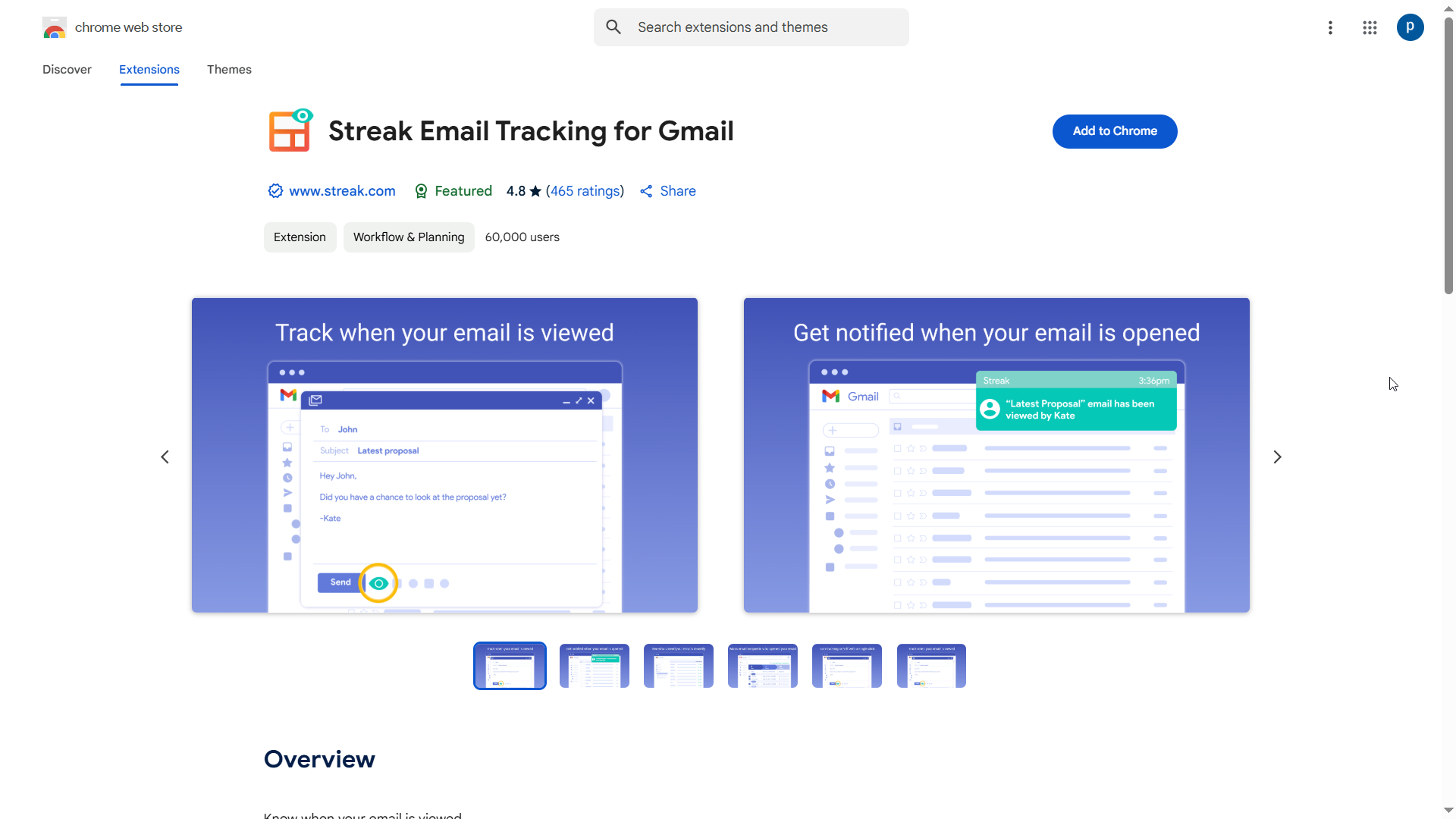
1️⃣ Open Google Chrome and go to the Streak Chrome Extension page. 🌐🔍
2️⃣ Click “Add to Chrome,” then select “Add Extension.” ➕🛠️
3️⃣ Streak will now integrate directly into your Gmail inbox. 📬✅
📩 Step 2: Send Job Applications with Tracking Enabled
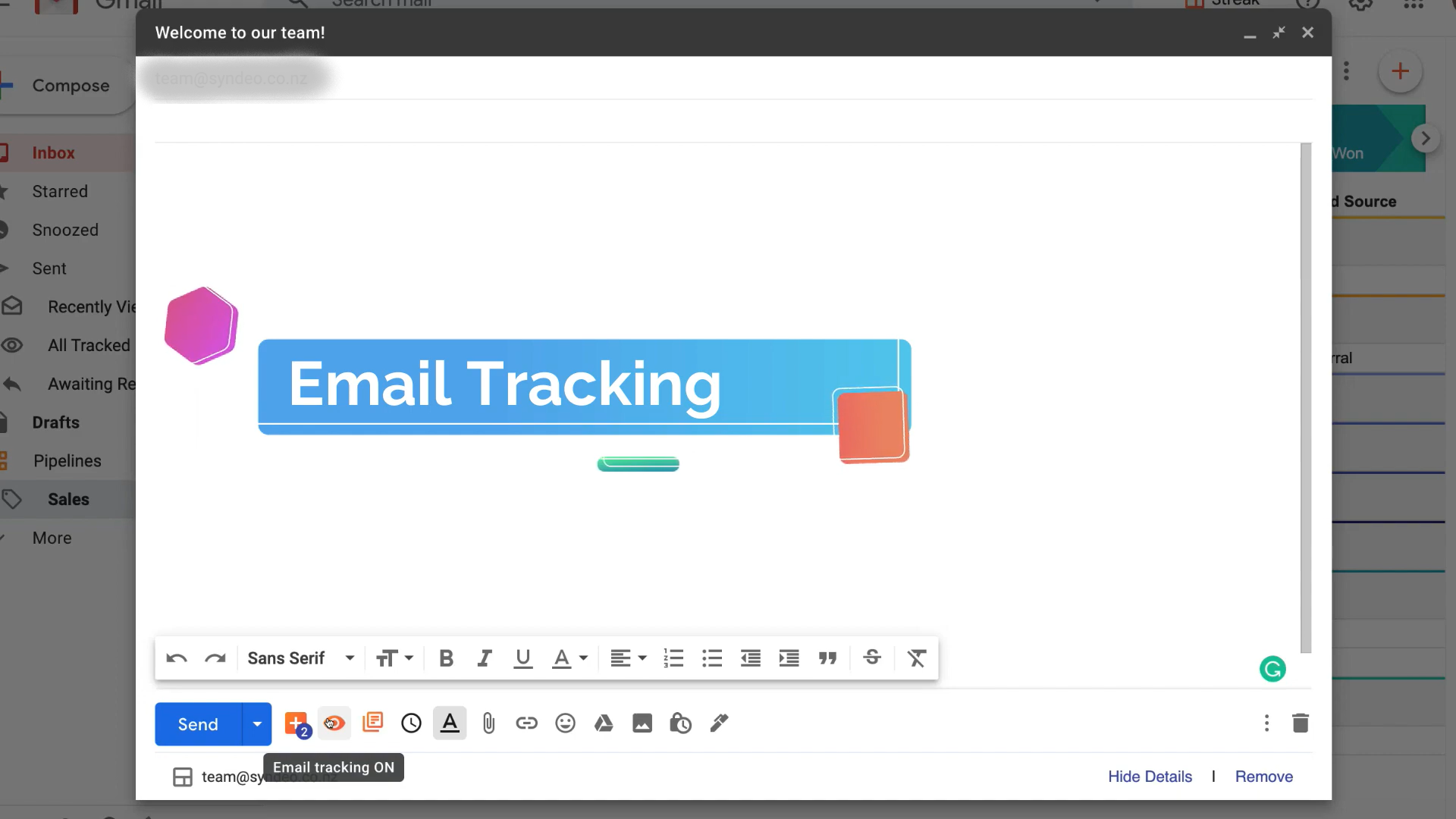
1️⃣ Open Gmail and click “Compose” to start a new email. ✉️📝
2️⃣ Attach your resume & cover letter, or include a link to your portfolio. 📎📄
3️⃣ Look for the Streak tracking icon (a green eye) at the bottom of the email. 👁️✅
4️⃣ Click “Enable Email Tracking” to activate tracking. ⚡📊
5️⃣ Send your job application as usual. 🚀📨
👀 Step 3: Track Your Emails in Real Time
After sending, you can track your job applications directly from Gmail.
-
Green checkmark ✅ = Your email was delivered successfully.
-
Eye icon turns green 👀 = The recruiter opened your email.
-
Multiple views 🔄 = Your application is being revisited (a great sign!).
If a recruiter opens your email multiple times, that’s a good sign—they’re interested! But if they don’t respond, they might be busy or unsure. This is where a well-timed follow-up can make all the difference.
🔥 Pro Tip: If a recruiter opens your resume link but doesn’t reply within a few days, send a polite follow-up. Try something like:
“Hey [Recruiter’s Name], I noticed you checked out my resume—thank you! I’d love to connect and discuss how my skills align with the role. Let me know if you’d like to chat!”
3️⃣ Fix What’s Not Working
If nobody is clicking your resume link, you need to rethink your approach. Maybe your resume isn’t standing out, or your email subject lines aren’t grabbing attention.
💡 What to do:
-
Test different subject lines to see what gets the most opens
-
Tweak your resume headline to make it more compelling
-
Make your email shorter & more personalized
Tracking your job applications helps you identify weak spots so you can make changes instead of wasting time on a strategy that isn’t working.
⏳ Stop Wasting Time on Cold Applications
Let’s be real—blindly applying to hundreds of jobs doesn’t work anymore. The key to landing interviews faster is focusing on what works instead of guessing.
Here’s what I’ve learned from using job application tracking:
- Some recruiters open my resume but never respond → ✍️📢 Time to tweak my email pitch.
- Others open my email multiple times → 🟢⏳ That’s a green light to follow up.
- If my resume isn’t getting clicks → 🚫📄 Maybe I need a stronger resume headline.
By tracking my applications, I’ve been able to cut down on wasted effort and land interviews faster—and you can too.
🎯 Take Control of Your Job Search Today
If you’re tired of feeling invisible in the job market, stop playing the guessing game. Try a job search Chrome extension to track your applications, follow up smarter, and finally get the responses you deserve.
🚀 Ready to level up your job search? Start tracking your applications today!
You’ve tracked your applications, the next step is crafting the perfect email. Use this resume email template to make sure your application stands out and increases your chances of getting hired.
Did you know that employee referrals are one of the fastest ways to get hired? Check out these 3 secret job referral sites that can connect you with employees willing to give referrals and speed up your job search.
Tired of refreshing job portals all day? Stop wasting time searching, you can set up Google Alerts for Job Search to get job postings delivered straight to your inbox—automatically.
👉 Save this post and share it with fellow job seekers—it might be exactly what they need!