What is a CMS? If you’ve ever built a website or published a blog without touching a single line of code, chances are you’ve used a Content Management System (CMS). A CMS is a powerful software tool that lets users create, edit, organize, and publish content online—no programming required. Whether you’re a blogger, an eCommerce store owner, or a digital marketer, CMS platforms like WordPress, Joomla, and Drupal have revolutionized how we manage websites.
Table Of Content
- Key Highlights
- What Is a CMS? Definition, Examples, and Benefits
- Why Do You Need a CMS?
- How Does a CMS Work?
- Examples of Popular CMS Platforms
- 1. WordPress (Best Overall CMS)
- 2. Wix (Best for Beginners)
- 3. Shopify (Best for eCommerce)
- 4. Joomla (Best for Advanced Users)
- 5. Drupal (Best for Enterprise Websites)
- Top Benefits of Using a CMS
- 1. Easy Website Management
- 2. Cost-Effective Solution
- 3. Customization & Flexibility
- 4. SEO Optimization Tools
- 5. Scalability for Growth
- 6. Strong Security Features
- Best CMS Platforms for Beginners
- 1. WordPress – Most Popular & Versatile CMS
- 2. Wix – Easiest Drag-and-Drop CMS
- 3. Shopify – Best for eCommerce
- 4. Squarespace – Best for Visual Websites
- 5. Webflow – Best for Advanced Designers
- How to Choose the Right CMS for Your Needs
- Final Thoughts
In this article, we’ll explain the full definition of a Content Management System, break down how it works, and help you choose the right one for your needs. From drag-and-drop interfaces to plugin integrations, CMS platforms offer the flexibility and scalability needed in today’s digital-first world. Whether you’re managing 5 pages or 5,000, a CMS keeps everything running smoothly behind the scenes. Let’s dive into how these systems work and why they’ve become the backbone of modern web development.
Key Highlights
- A Content Management System (CMS) helps users create, manage, and publish website content without coding expertise.
- The best CMS platforms for beginners offer intuitive interfaces, customizable templates, and built-in SEO tools.
- Popular CMS examples include WordPress, Wix, Shopify, Joomla, and Drupal.
- Benefits of a CMS include cost-effectiveness, scalability, and ease of customization.
- Choosing the right CMS depends on your website needs, technical expertise, and business goals.
What Is a CMS? Definition, Examples, and Benefits
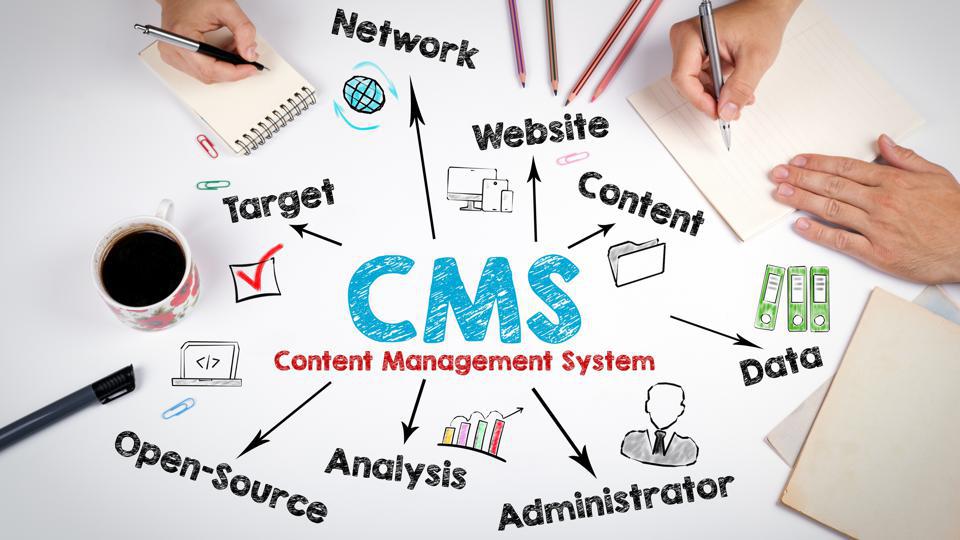
A Content Management System (CMS) is a software application that allows users to build, manage, and modify website content without needing to write code. A CMS provides a structured way to create web pages, upload media, and optimize content for search engines, making it ideal for bloggers, business owners, and eCommerce entrepreneurs.
Why Do You Need a CMS?
Before CMS platforms existed, websites were built manually using HTML, CSS, and JavaScript. This required technical skills and extensive development time. A CMS simplifies the process by offering ready-made templates, drag-and-drop editors, and automation tools, making website creation accessible to everyone.
How Does a CMS Work?
A CMS has two core components:
- Content Management Application (CMA): The user-friendly interface where content is created and edited.
- Content Delivery Application (CDA): The backend system that stores, manages, and delivers content to the website visitors.
Using a CMS, you can publish blog posts, add product listings, and modify site design—all without touching a single line of code.
Examples of Popular CMS Platforms
Here are some widely used CMS platforms:
1. WordPress (Best Overall CMS)
- Powers over 40% of websites globally.
- Offers thousands of themes and plugins.
- Suitable for blogs, small businesses, and online stores.
2. Wix (Best for Beginners)
- Features an intuitive drag-and-drop website builder.
- Ideal for personal portfolios and small businesses.
3. Shopify (Best for eCommerce)
- Designed for online stores with built-in payment processing.
- Provides inventory management and marketing tools.
4. Joomla (Best for Advanced Users)
- More flexible than WordPress but requires technical knowledge.
- Ideal for complex websites and membership platforms.
5. Drupal (Best for Enterprise Websites)
- Known for security, customization, and scalability.
- Used by government agencies and large corporations.
For beginners, the best CMS platforms are WordPress, Wix, and Shopify due to their ease of use and extensive support.

Top Benefits of Using a CMS
1. Easy Website Management
With a CMS, you can add, edit, and delete content effortlessly without needing coding knowledge.
2. Cost-Effective Solution
CMS platforms offer free themes, plugins, and hosting solutions, reducing website development costs.
3. Customization & Flexibility
Most CMS platforms for beginners provide thousands of themes and plugins to customize your site’s design and functionality.
4. SEO Optimization Tools
Many CMS platforms have built-in SEO features, helping your website rank higher on Google and other search engines.
5. Scalability for Growth
As your business grows, a CMS allows you to expand your website without the need for a complete redesign.
6. Strong Security Features
Regular updates, security plugins, and backup options protect your site from cyber threats.
Best CMS Platforms for Beginners
If you are new to website building, here are the best CMS platforms for easy setup and management:
1. WordPress – Most Popular & Versatile CMS
- Pros: User-friendly, highly customizable, and SEO-friendly.
- Cons: Requires plugins for advanced features.
2. Wix – Easiest Drag-and-Drop CMS
- Pros: Simple interface, pre-built templates, no coding required.
- Cons: Limited flexibility compared to WordPress.
3. Shopify – Best for eCommerce
- Pros: All-in-one platform for online stores, includes payment processing.
- Cons: Higher costs compared to other CMS platforms.
4. Squarespace – Best for Visual Websites
- Pros: Stunning design templates, great for portfolios and creative projects.
- Cons: Less flexibility for custom development.
5. Webflow – Best for Advanced Designers
- Pros: Combines CMS with custom coding capabilities.
- Cons: Learning curve for non-designers.

How to Choose the Right CMS for Your Needs
Before selecting a CMS, consider these factors:
- Ease of Use: Pick a platform with a simple interface and minimal learning curve.
- Customization Options: Ensure the CMS supports themes, plugins, and integrations.
- SEO Features: Choose a CMS that offers built-in SEO tools.
- Security & Support: Look for a CMS with strong security features and an active support community.
- Pricing & Scalability: Consider the cost and whether the CMS can scale as your business grows.
Final Thoughts
A Content Management System (CMS) is an essential tool for website owners, offering an easy and cost-effective way to build and manage online content. Whether you are a beginner, an entrepreneur, or an established business, choosing the best CMS platform for beginners can simplify your website management.
Among the top CMS platforms, WordPress remains the most popular choice due to its flexibility, user-friendliness, and extensive plugin ecosystem. If you are looking for an all-in-one website solution, Wix, Shopify, and Squarespace are excellent alternatives.
If you’re ready to build a website, explore these popular CMS platforms and choose the best one for your needs.