Arrays play a central role in PHP development. From handling user input to processing API responses, arrays are everywhere. One of the most important operations you’ll perform is finding the length of an array, which simply means counting how many elements it contains.
Table Of Content
While PHP array length provides simple built-in functions for this, there are deeper concepts, edge cases, and best practices that every developer should understand. This guide walks you through everything—from basics to advanced usage—with clear explanations and examples.
Understanding PHP Array Length
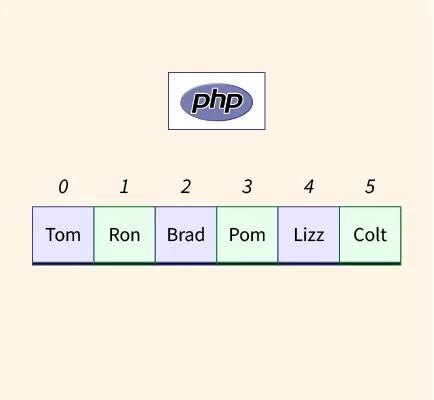
In PHP, an array is a collection of values stored under a single variable. The length of an array is the total number of elements it holds.
For example:
$fruits = ["apple", "banana", "mango"];
echo count($fruits);
The output will be 3 because there are three elements inside the array. PHP arrays are dynamic, meaning you can add or remove elements at any time, and the length will automatically adjust.
Using the count() Function
The most common way to find the length of an array in PHP is by using the count() function. It is simple, fast, and widely used in almost every PHP project.
$numbers = [10, 20, 30, 40, 50];
echo count($numbers);
This will output 5, since there are five values in the array.
Internally, count() is optimized, which means it does not loop through the array every time. Instead, PHP keeps track of the number of elements, making this function very efficient even for large datasets.
There is also another function called sizeof(), which behaves exactly the same as count(). However, most developers prefer count() because it is more readable and commonly used in modern codebases.
Working with Multidimensional Arrays
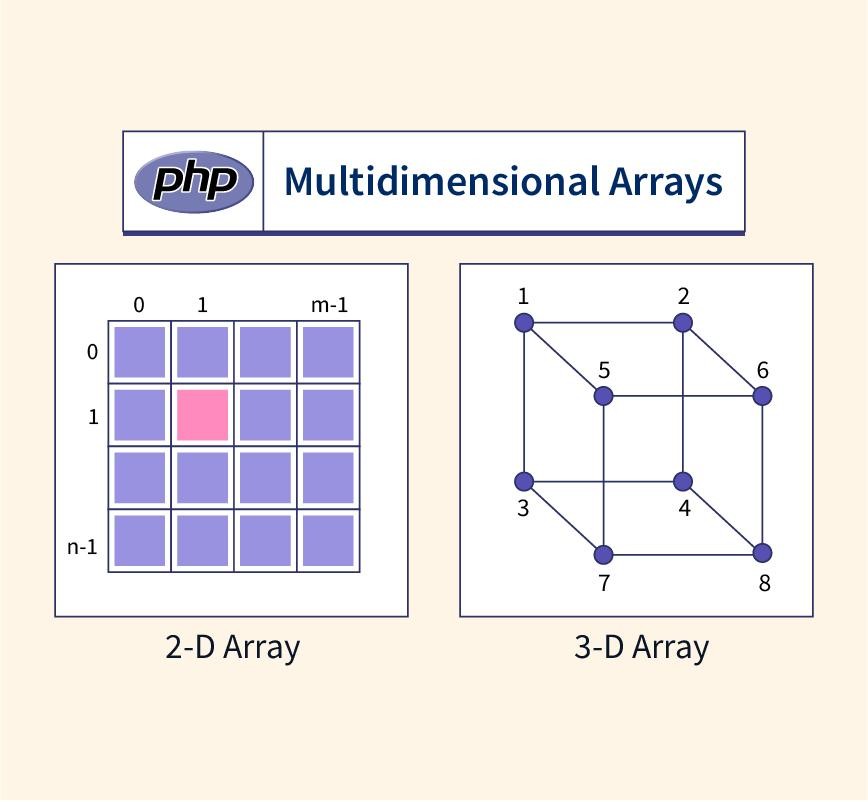
In real-world applications, arrays are often nested inside other arrays. These are called multidimensional arrays.
$students = [
    ["John", 20],
    ["Jane", 22],
    ["Tom", 19]
];
If you use:
echo count($students);You will get 3, because PHP counts only the top-level elements.
To count all elements inside nested arrays, you can use:
echo count($students, COUNT_RECURSIVE);This will return 6, since each inner array contains two values. Recursive counting is useful when you want a total count of everything inside a structure, but it should be used carefully because it can produce larger numbers than expected.
Handling Empty Arrays

Sometimes, you may work with arrays that contain no elements.
$emptyArray = [];
echo count($emptyArray);
The output will be 0.
In many cases, instead of using count(), developers use the empty() function to check whether an array has values.
if (!empty($emptyArray)) {
    echo "Array has elements";
} else {
    echo "Array is empty";
}
This approach is often cleaner and easier to read when your goal is simply to check if data exists.
Counting Values Inside an Array
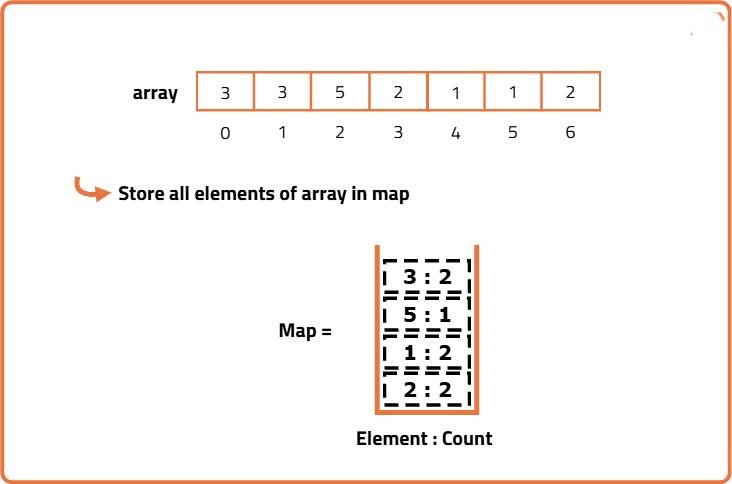
Sometimes you don’t just want the total number of elements—you may want to know how many times each value appears.
$items = ["apple", "banana", "apple", "orange", "banana", "apple"];
print_r(array_count_values($items));
This will produce:
Array
(
    [apple] => 3
    [banana] => 2
    [orange] => 1
)
This is especially useful in data analysis, reporting systems, and tracking repeated values.
Using Array Length in Real Applications
Array length is used in many practical situations. For example, in pagination systems, the total number of items determines how many pages are needed.
$totalItems = count($products);
$itemsPerPage = 10;
$totalPages = ceil($totalItems / $itemsPerPage);
In form handling, developers often check whether any data has been submitted:
if (count($_POST) > 0) {
    echo "Form submitted";
}
Similarly, when working with APIs, checking the number of elements helps determine whether data was successfully received.
Performance and Best Practices
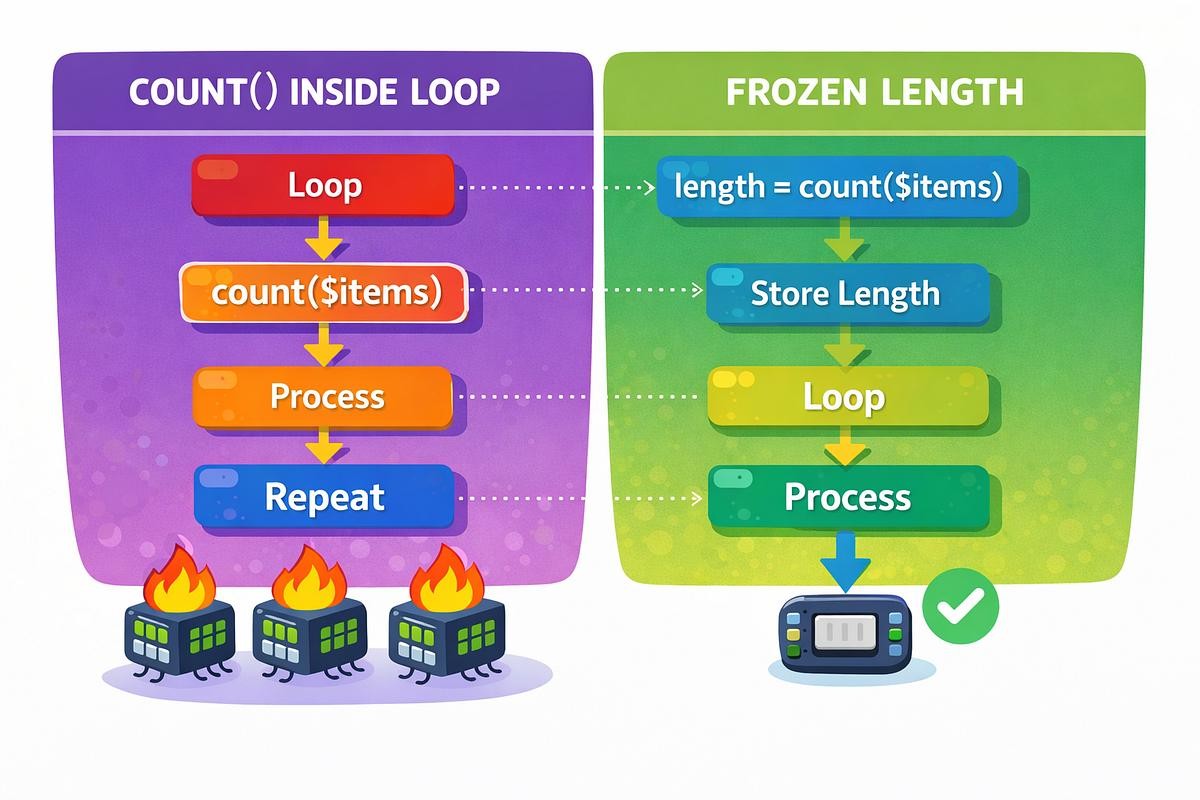
Although count() is very fast, repeatedly calling it inside loops is not ideal. A better approach is to store the result in a variable and reuse it.
$length = count($arr);
for ($i = 0; $i < $length; $i++) {
    echo $arr[$i];
}
It is also important to ensure that the variable you are counting is actually an array. Using count() on non-array variables can lead to unexpected behavior, especially in older PHP versions.
Common Mistakes to Avoid
One common misunderstanding is confusing the array length with the last index. If an array has three elements, the indexes will be 0, 1, and 2—not 3.
Another mistake is using recursive counting without understanding its effect. In deeply nested arrays, the result may include both parent and child elements, leading to larger-than-expected counts.
Conclusion
Understanding how to work with array length in PHP is a fundamental skill that every developer must master. While the count() function makes it easy to determine the number of elements, knowing how it behaves in different scenarios—such as multidimensional arrays or empty arrays—helps you write better and more efficient code.
By applying the concepts covered in this guide, you’ll be able to confidently handle arrays in real-world applications, improve performance, and avoid common pitfalls.
Want to learn more, Kaashiv Infotech Offers, PHP Course, PHP Full Stack Development Course, PHP Internship & More, Visit Our Webaite www.kaashivinfotech.com.
Related Reads: